belbo
  • Overview
    • Getting to know Belbo
    • Location Settings
    • Switch to Belbo
    • Calendar View & Navigation
    • Recurring Appointments & Courses
    • Appointment Entry & Management
    • Logins & Permissions
    • Multiple Locations & Head Office
    • Manage Employees
    • Absences & Holidays
    • General
    • Working Hours
    • Time Tracking
    • Data Protection (GDPR)
    • Customer Communication (Email, SMS)
    • Customer Management & Records
    • Bonus & Loyalty Programs
    • Campaigns (Newsletter & SMS)
    • Marketing Consents (GDPR)
    • Tracking & Analytics
    • Overview
    • Services & Prices
    • Products
    • Service Packages & Subscriptions
    • Vouchers
    • Purchasing & Suppliers
    • Stock & Inventory
    • Scanning & Sales
    • Cost of goods & expenses
    • Design & Texts
    • Setup & Settings
    • Integration (Website, Google, Instagram, Facebook)
    • Online payment
    • Accounting & Exports
    • Cash Register Settings & Hardware
    • Checkout process
    • Daily Closing & Reports
    • TSE & Cash Register Anti-Tampering Ordinance
    • Export Overview
    • Employee Utilization
    • Revenue & Reports
    • Belbo Satellite
    • Printer
    • EC Terminal & Card Payment
    • Troubleshooting Hardware
    • Scanner & POS Devices
    • General Settings
    • API & Integrations
    • Notifications & Emails
    • Contracts & Legal
Skip to content

Booking Rhythm

You can set the time interval at which appointments are offered to your customers during online booking. You can adjust this precisely to your company's processes and the duration of your services.

You can access this area via
Settings > Online Booking > Booking Settings > Appointment Rhythm.

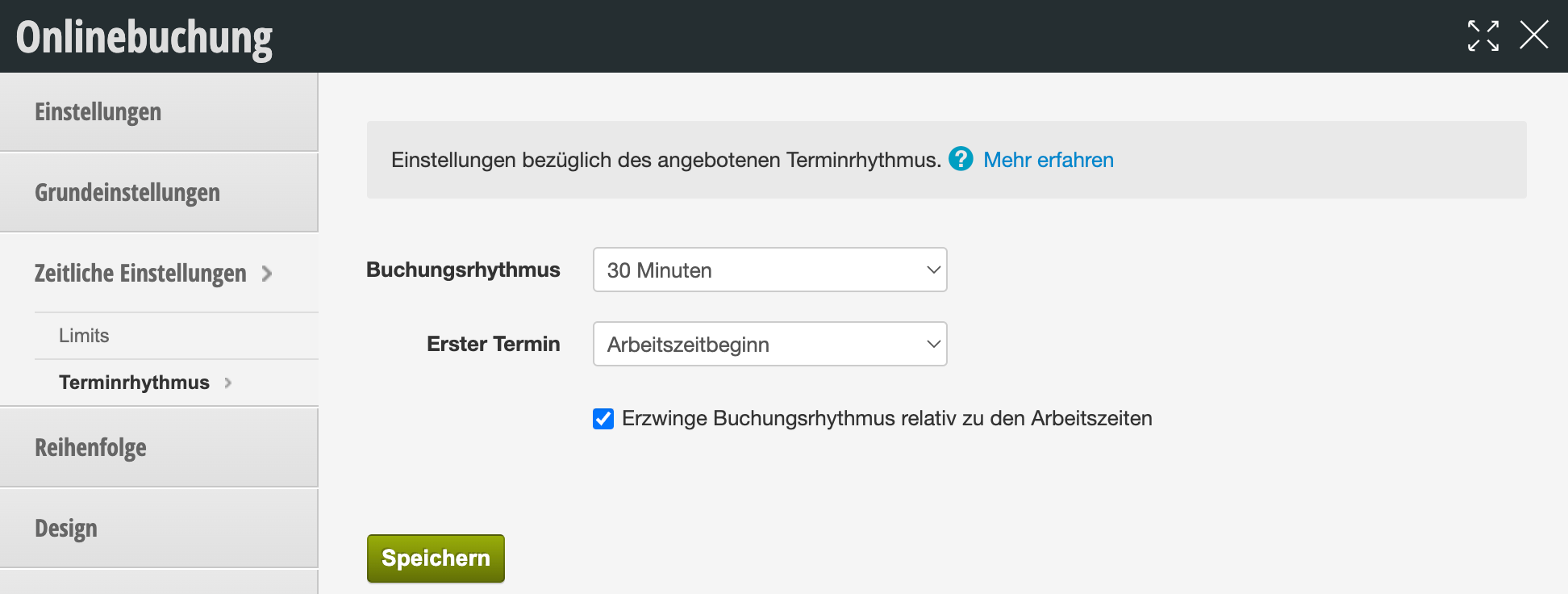
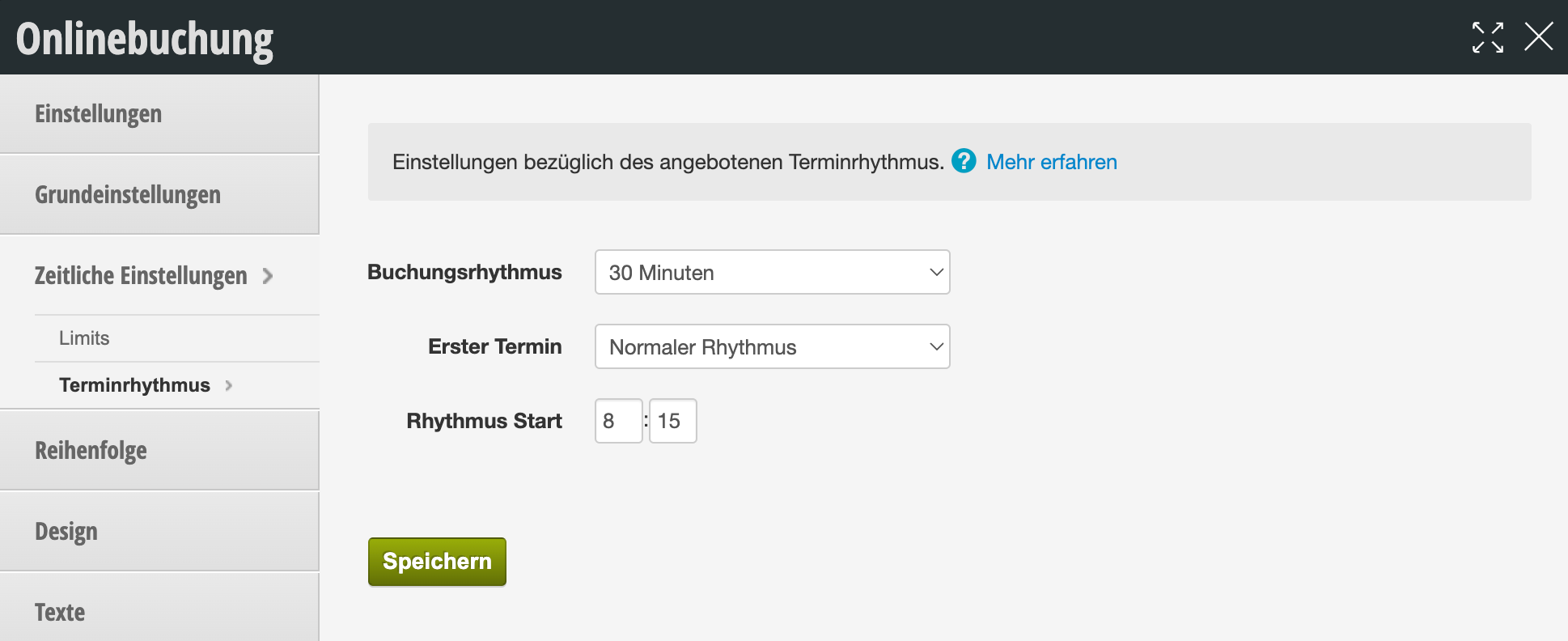
Set appointment rhythm

To offer your customers an appointment every 30 minutes, select a rhythm of "30 minutes".

Set rhythm
First, select the desired rhythm.

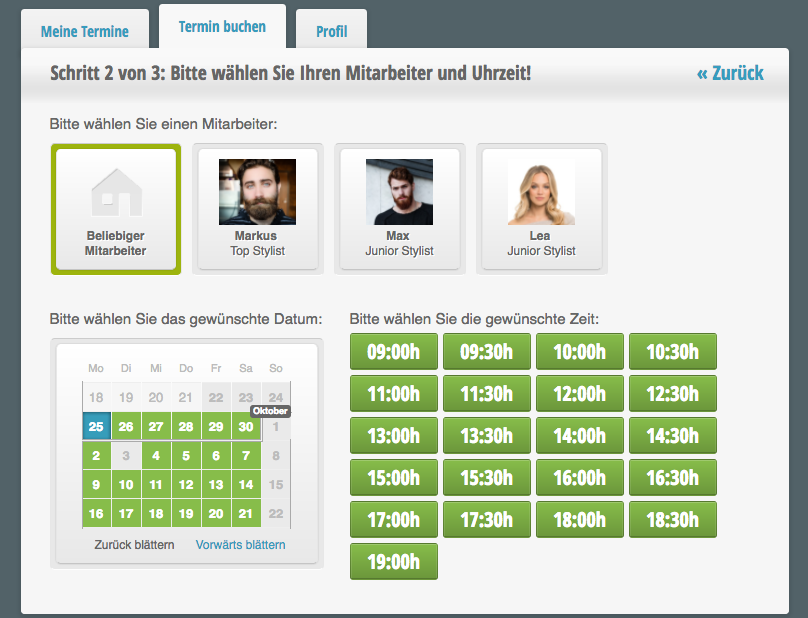
Appointment rhythm in online booking
Example of 30-minute rhythm in online booking:
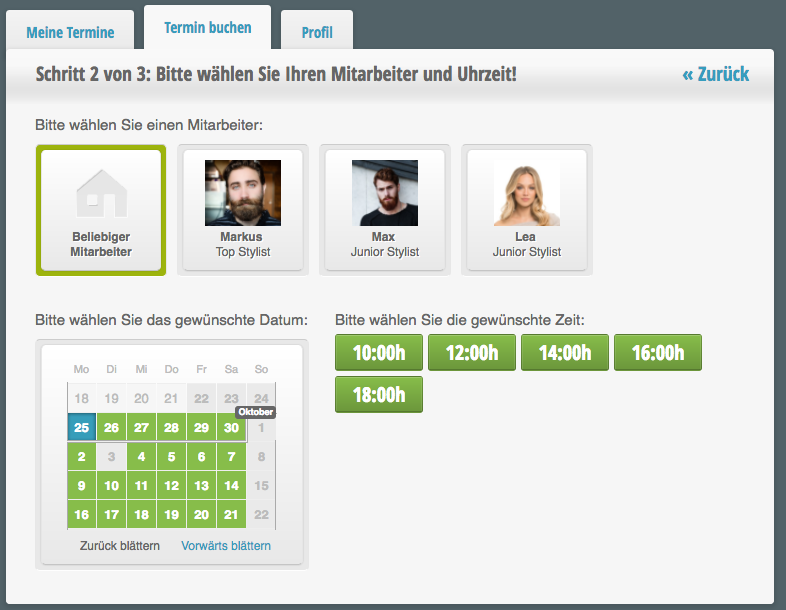
Example of 120-minute rhythm in online booking:

Special settings


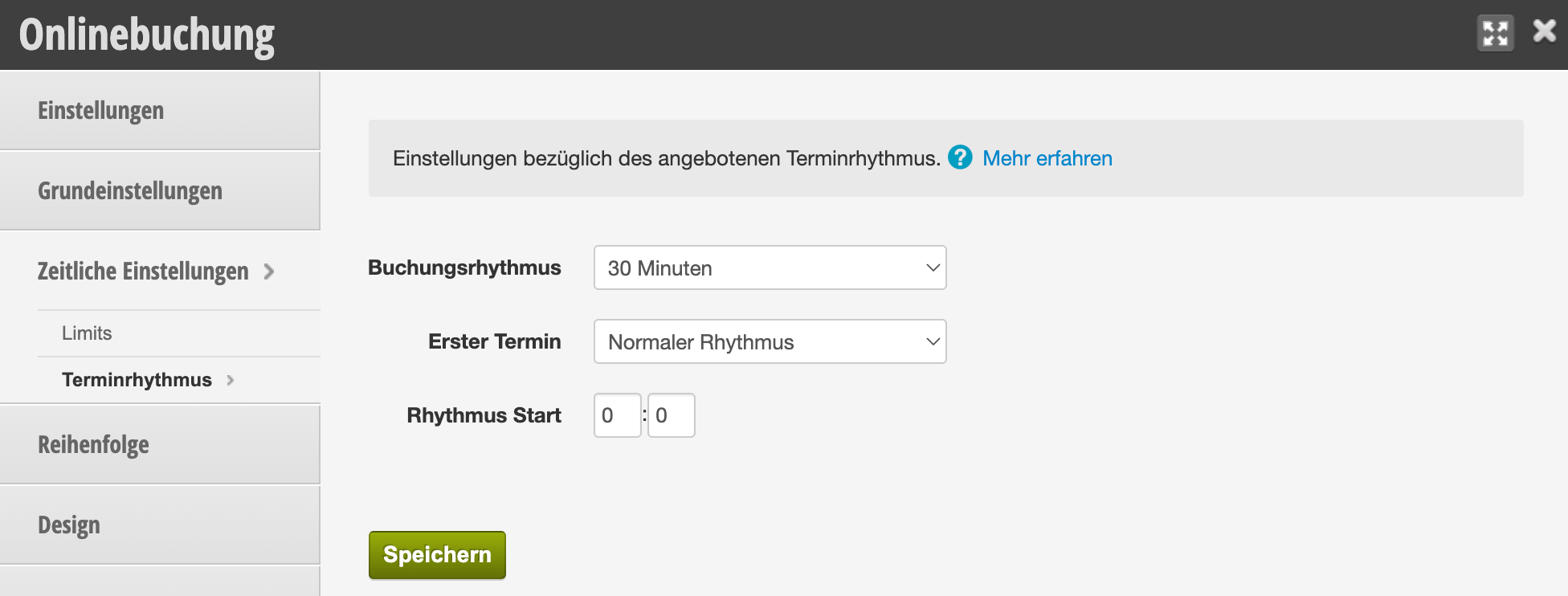
First appointment
You can choose whether to create a normal appointment rhythm or set the work start time as the rhythm start point.

If you choose the work start time, you can also specify that the rhythm behaves differently for employees with different work start times.

Application example:
Employee A starts work at 09:00 AM.
Customers can book with her at 09:00, at 09:30 (etc.).
Employee B starts work at 09:15 AM.
Customers can book with him at 09:15, at 09:45 (etc.).

Rhythm start
The booking rhythm usually begins at the top of the hour. However, if you want to offer a 30-minute rhythm for all appointments at xx:15 and xx:45, you can adjust the rhythm start accordingly.


For an overview of all online booking settings click here.
Categories: Appointment Entry & Management
Tags: Buchungsrhythmus, Terminrhythmus
This manual is a service by belbo. Legal notice