belbo
  • Overview
    • Getting to know Belbo
    • Location Settings
    • Switch to Belbo
    • Calendar View & Navigation
    • Recurring Appointments & Courses
    • Appointment Entry & Management
    • Tasks
    • Overview
    • Multiple Locations & Head Office
    • Manage Employees
    • Logins
    • Rights
    • Overview
    • Absences & Holidays
    • Working Hours
    • Time Tracking
    • Overview
    • Data Protection (GDPR)
    • Customer Communication (Email, SMS)
    • Customer Management & Records
    • Overview
    • Bonus & Loyalty Programs
    • Campaigns (Newsletter & SMS)
    • Marketing Consents (GDPR)
    • Tracking & Analytics
    • Overview
    • Services & Prices
    • Service Packages & Subscriptions
    • Vouchers
    • Products
    • Purchase & Suppliers
    • Stock & Inventory
    • Scanning & Sales
    • Inventory & Costs
    • Overview
    • Setup & Settings
    • Design
    • I'm ready to help you translate the category name from German to English. However, I don't see the actual text to translate in your message. Please provide the German category name that needs to be translated, and I'll translate it for you while preserving all HTML tags, comments, and WordPress shortcodes exactly as they are.
    • Integration (Website, Google, Instagram, Facebook)
    • Online payment
    • Overview
    • Accounting & Exports
    • Cash Register Settings
    • Checkout process
    • Daily Closing & Reports
    • TSE & Cash Register Anti-Tampering Ordinance
    • Overview
    • Export Overview
    • Employee Utilization
    • Revenue & Reports
    • Belbo Satellite
    • Printer
    • EC Terminal & Card Payment
    • Troubleshooting Hardware
    • Scanner & POS Devices
    • General Settings
    • API & Integrations
    • Notifications & Emails
    • Contracts & Legal
Skip to content
Customers›Customer Management & Records

Customer Management

You can access this area by clicking on the main menu item Customers.

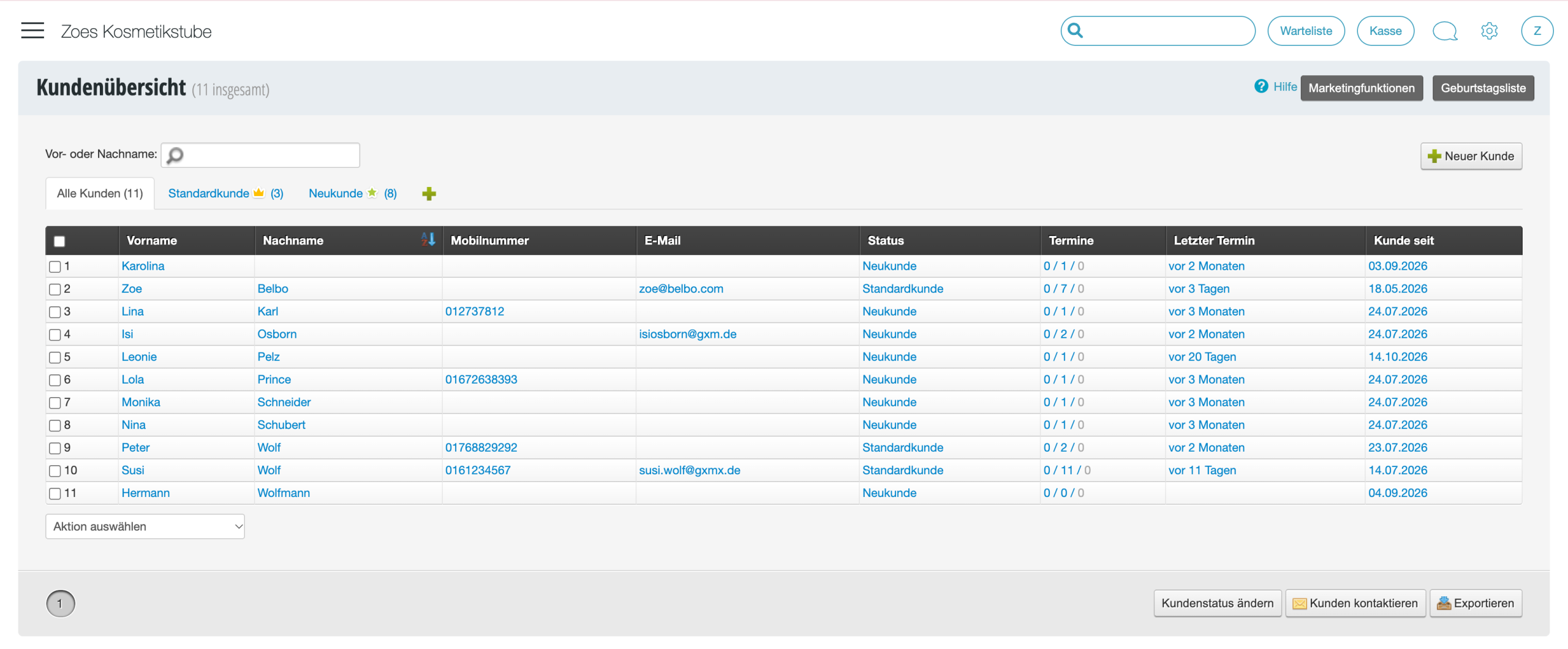
In customer management, all your customers are listed. You can see the total number of customers and your customer groups – sorted by new customers and the various customer statuses.

Kundenverwaltung in Belbo mit Tabelle von 11 Kunden, sortiert nach Vorname, Nachname, Mobilnummer, E-Mail, Status und Terminen

View and edit customer data
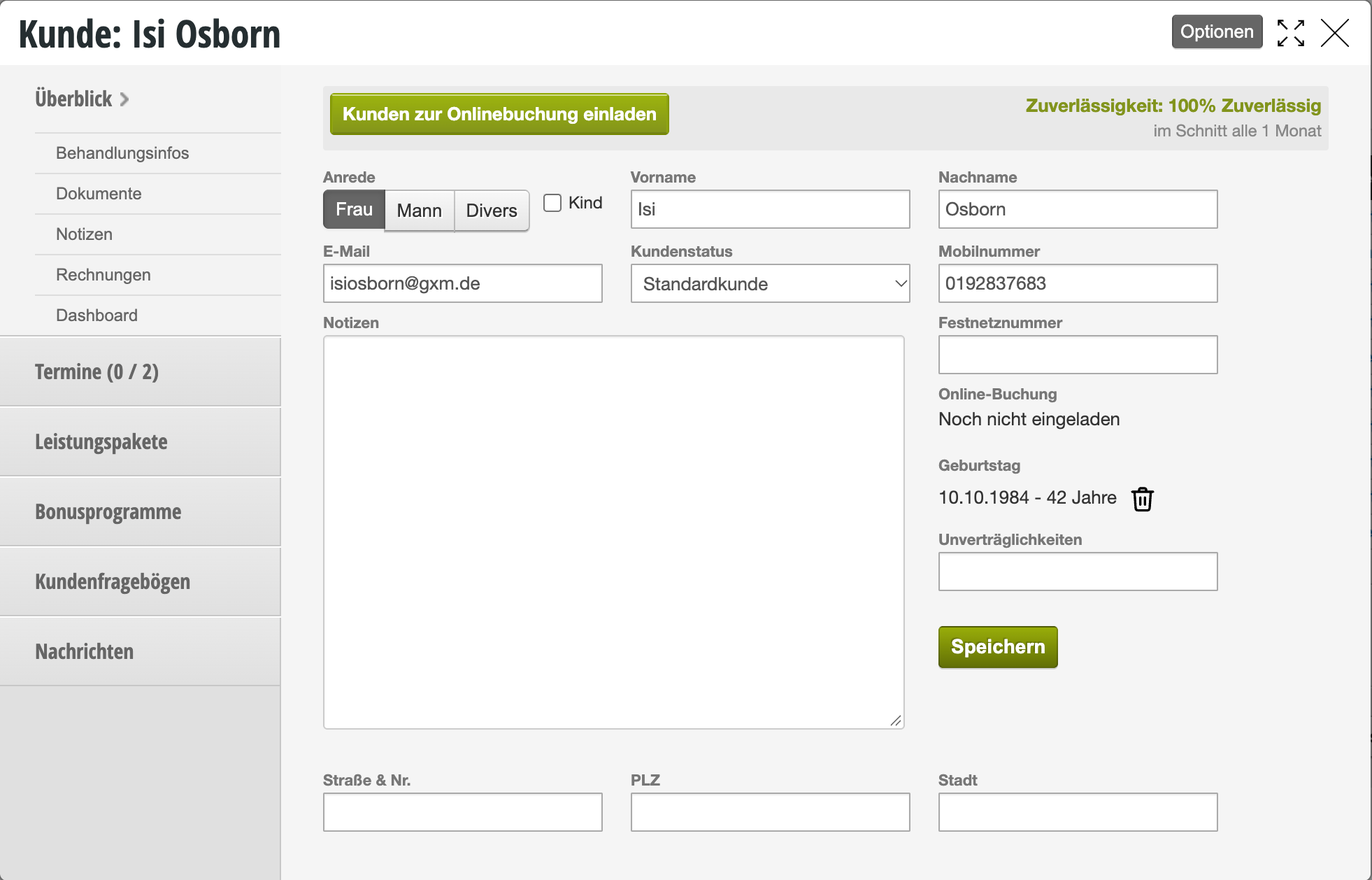
Once you click on the blue highlighted customer name, you will access the customer file for that customer and can view and edit all information about this customer.

Kundenkartei für Isi Osborn mit persönlichen Daten, Kontaktinformationen und Optionen zur Online-Buchung sowie Bonusprogrammen.

Find customers
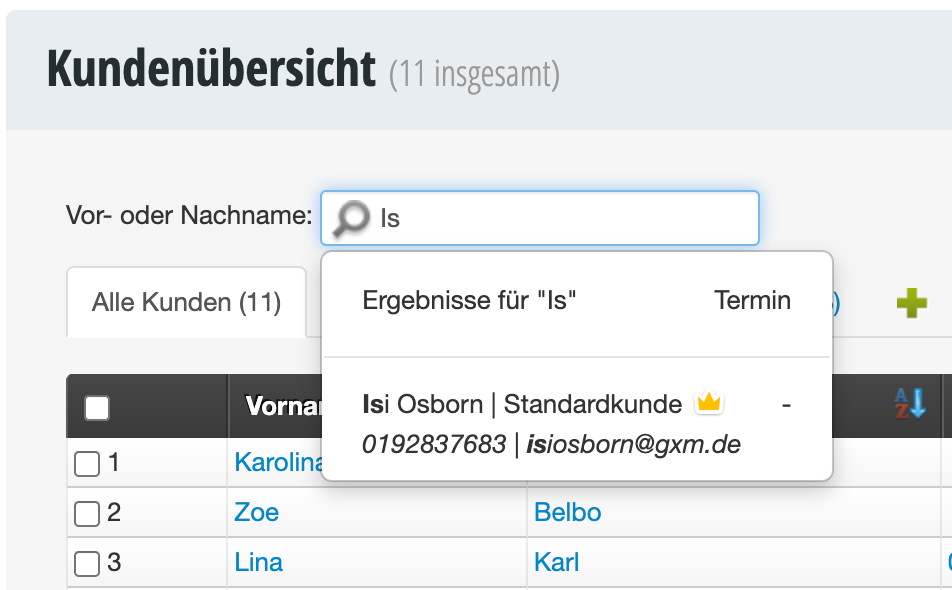
To find specific customers, you can use the search field in the upper area of the page.

Kundenübersicht mit Suchfeld 'Is' und Suchergebnis für Isi Osborn als Standardkunde

Filter customers

To avoid lengthy searching: Use filter combinations to narrow down your customer list specifically. This way, with just a few clicks, you have exactly the selection you're looking for on the screen.


Search customers using filters
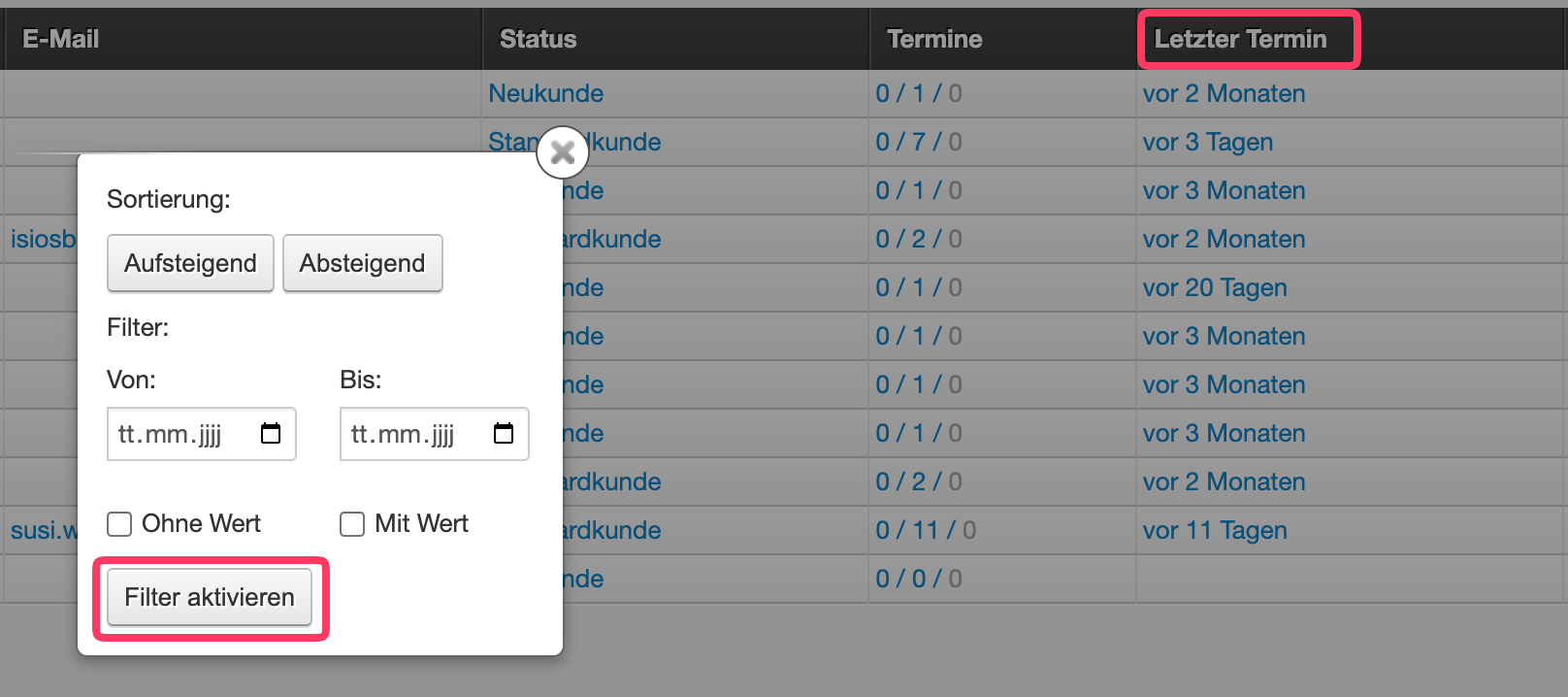
Once you click on one of the table columns, you'll access the filter overview where you can select various filters, for example to search for customers who haven't been there for a while.

Filterdialog zur Kundenverwaltung mit Sortieroptionen, Datumsbereich und Filter-aktivieren-Button

Search customers using additional filters
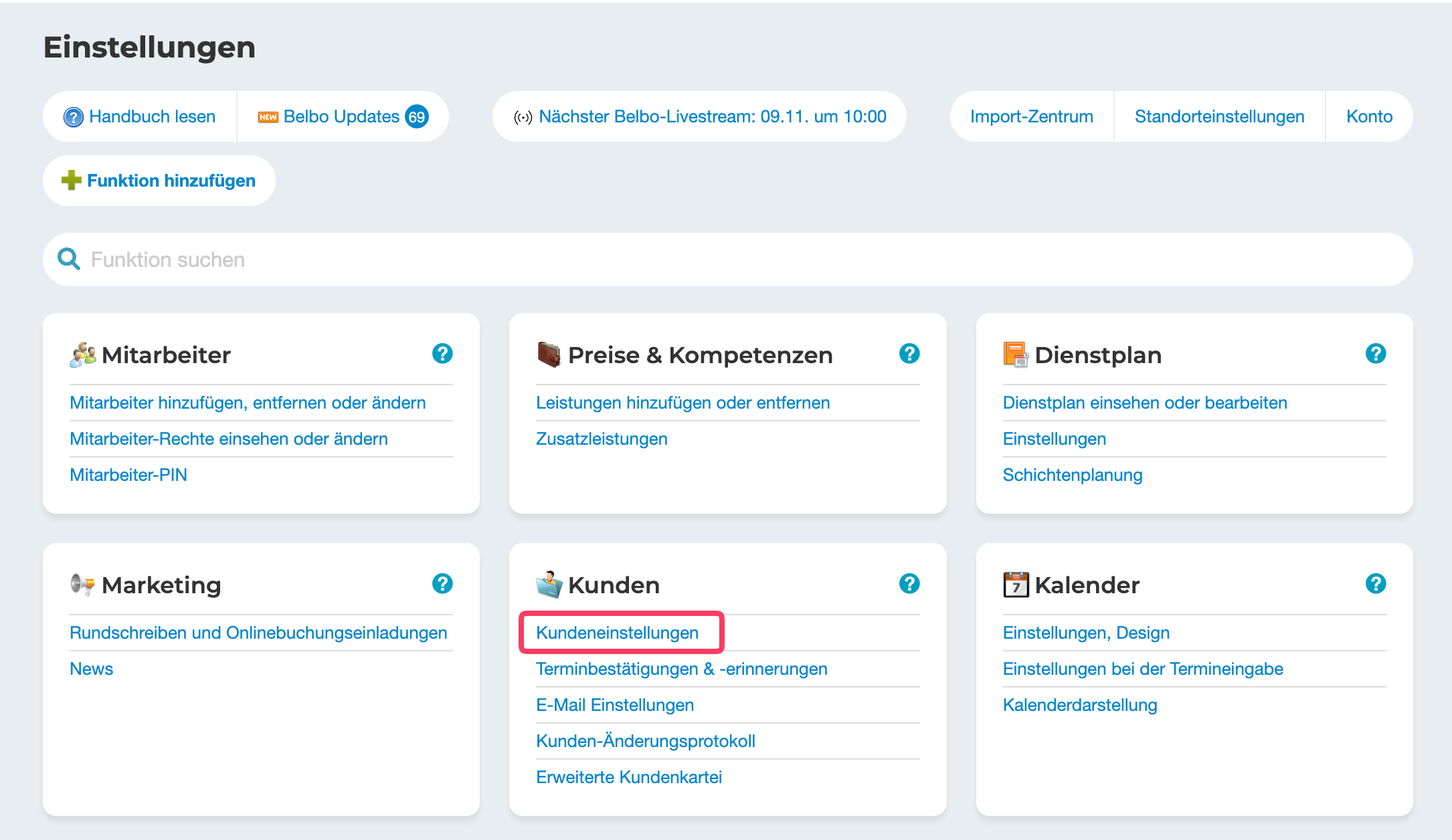
Want to expand your search? For example, if you want to search for your highest-revenue customer, you can do this with the help of additional table columns. To do this, you need to go to settings and click on "Customer settings".

Einstellungsmenü mit Kundenverwaltung, Kundeneinstellungen hervorgehoben, weitere Kategorien wie Mitarbeiter, Dienstplan und Kalender sichtbar

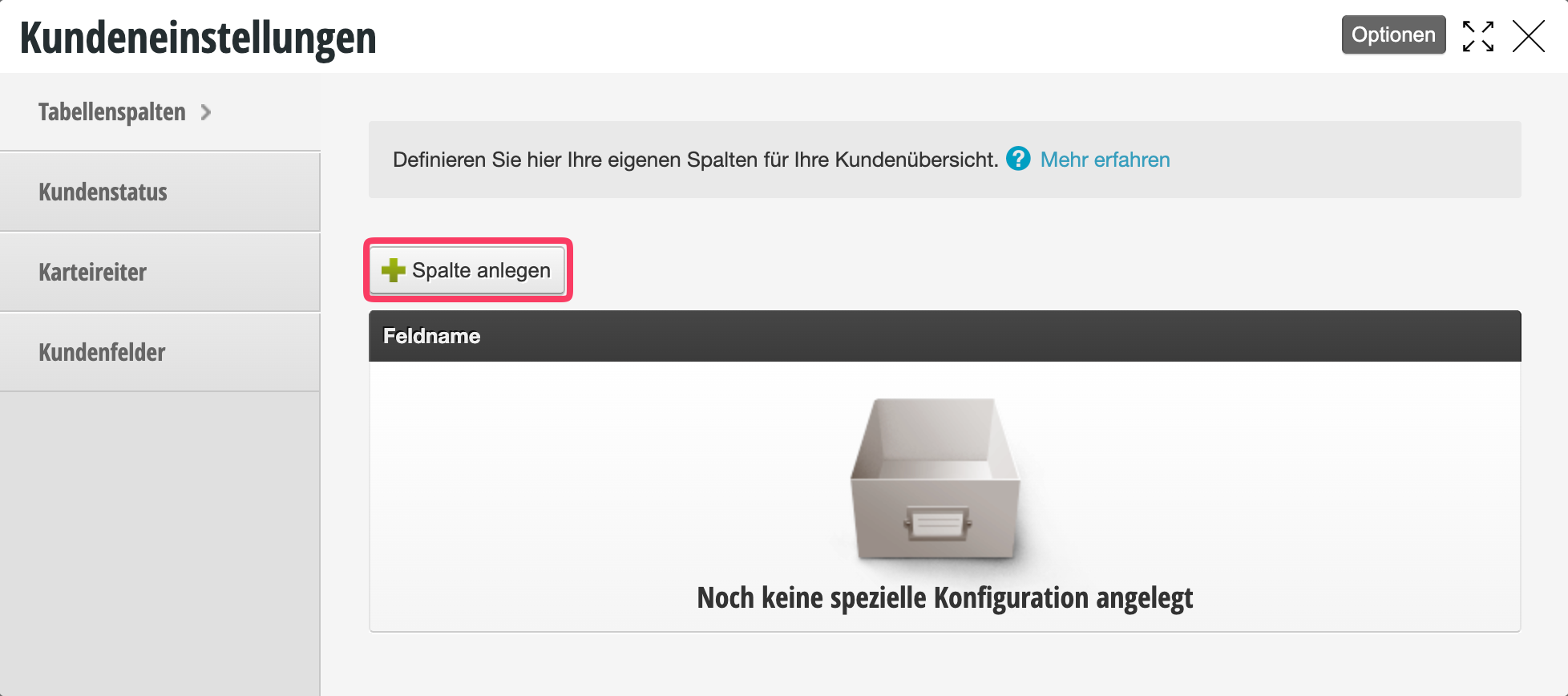
In the "Table columns" tab, you'll find a "+Create column" button. Here you can select all the table columns you need.

Kundeneinstellungen mit Tabellenspaltenkonfiguration. Menü zeigt Kundenstatus, Kartereiter und Kundenfelder. Hauptbereich mit 'Spalte anlegen'-Button und Hinweis 'Noch keine spezielle Konfiguration angelegt'.

You can then return to the customer overview and filter as usual.

Categories: Customer Management & Records

Have a question? Ask it here.

This manual is a service by belbo. Legal notice