
belbo
  • Overview
    • Getting to know Belbo
    • Location Settings
    • Switch to Belbo
    • Calendar View & Navigation
    • Recurring Appointments & Courses
    • Appointment Entry & Management
    • Logins & Permissions
    • Multiple Locations & Head Office
    • Manage Employees
    • Absences & Holidays
    • General
    • Working Hours
    • Time Tracking
    • Data Protection (GDPR)
    • Customer Communication (Email, SMS)
    • Customer Management & Records
    • Bonus & Loyalty Programs
    • Campaigns (Newsletter & SMS)
    • Marketing Consents (GDPR)
    • Tracking & Analytics
    • Overview
    • Services & Prices
    • Products
    • Service Packages & Subscriptions
    • Vouchers
    • Purchasing & Suppliers
    • Stock & Inventory
    • Scanning & Sales
    • Cost of goods & expenses
    • Design & Texts
    • Setup & Settings
    • Integration (Website, Google, Instagram, Facebook)
    • Online payment
    • Accounting & Exports
    • Cash Register Settings & Hardware
    • Checkout process
    • Daily Closing & Reports
    • TSE & Cash Register Anti-Tampering Ordinance
    • Export Overview
    • Employee Utilization
    • Revenue & Reports
    • Belbo Satellite
    • Printer
    • EC Terminal & Card Payment
    • Troubleshooting Hardware
    • Scanner & POS Devices
    • General Settings
    • API & Integrations
    • Notifications & Emails
    • Contracts & Legal
Skip to content

Move Appointments by Customers

In Belbo, you can give your customers the option to reschedule their booked appointments themselves.

Allow customers to reschedule appointments

Booking settings

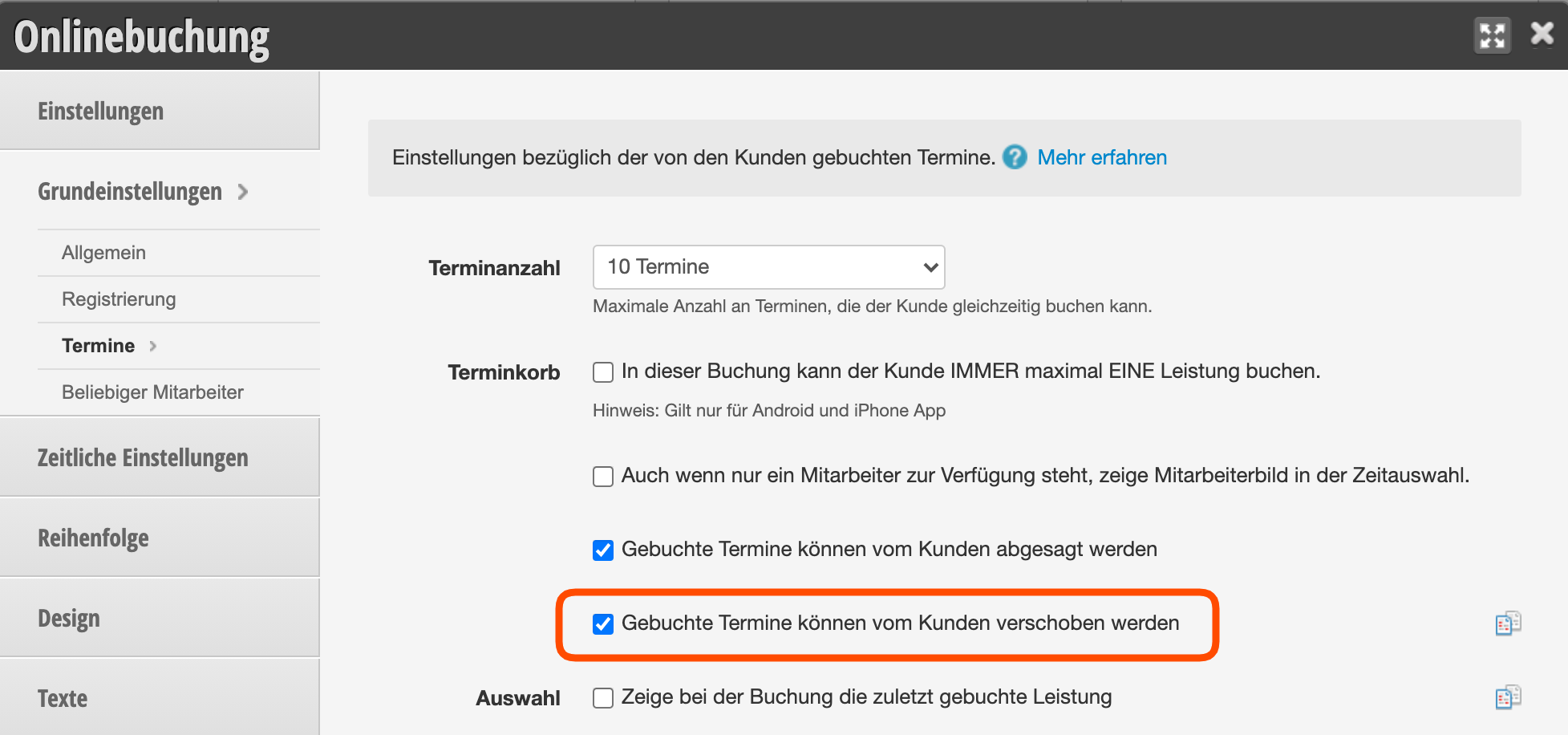
If you want to allow your customers to reschedule appointments, you can set this up under Settings > Online Booking > Basic Settings > Appointments.
Set cancellation limit

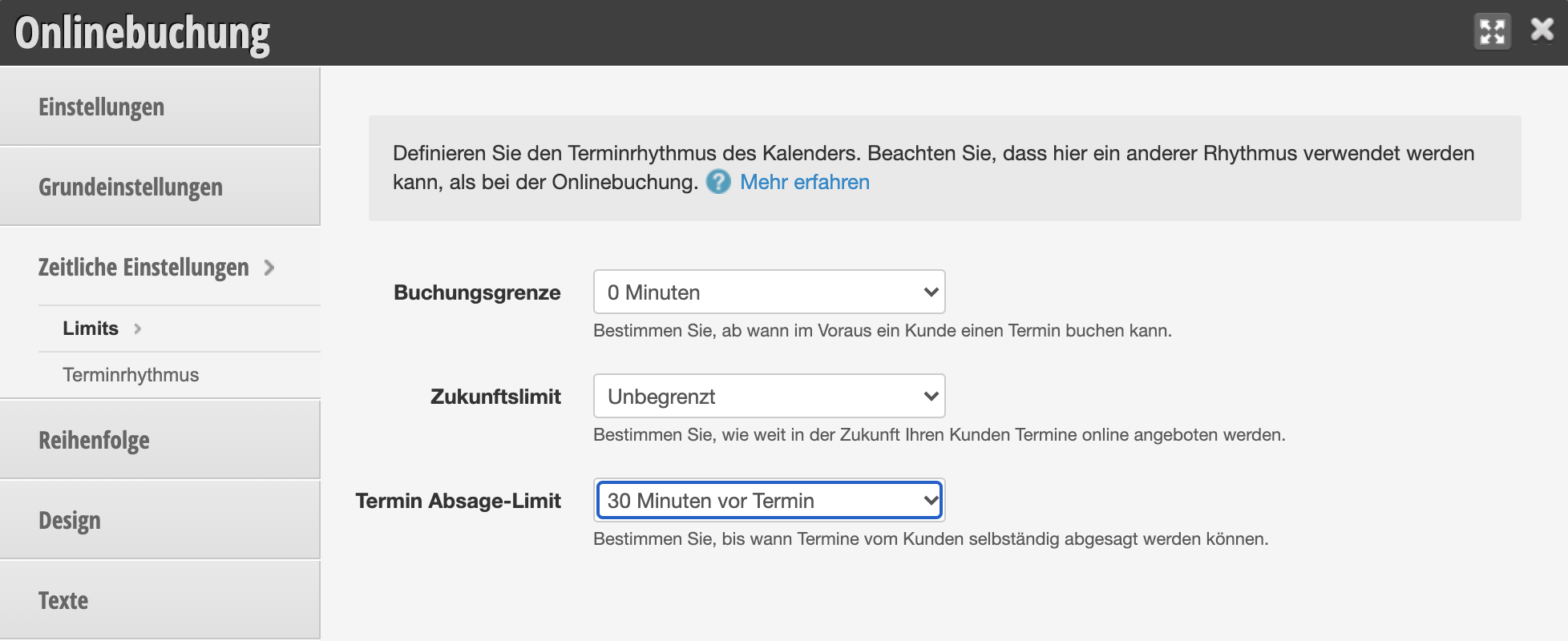
The cancellation limit under Settings > Online Booking > Time Settings also applies to rescheduling appointments. Customers who try to reschedule their appointment within a shorter timeframe will be informed that they need to contact you directly.
Edit confirmation email

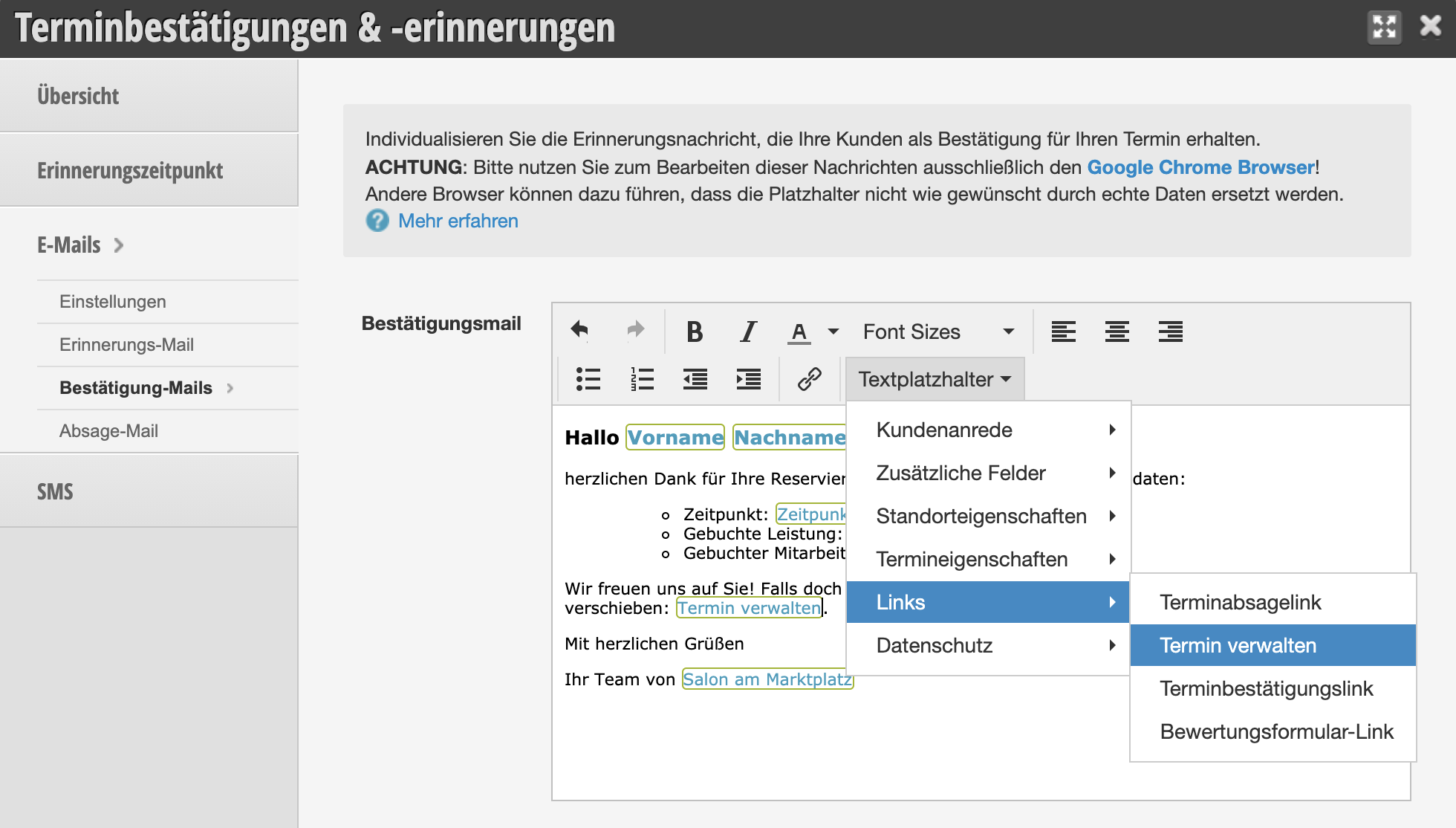
In your confirmation emails, you can place a link that allows the customer to reschedule the appointment themselves.
Appointment rescheduling from customer perspective

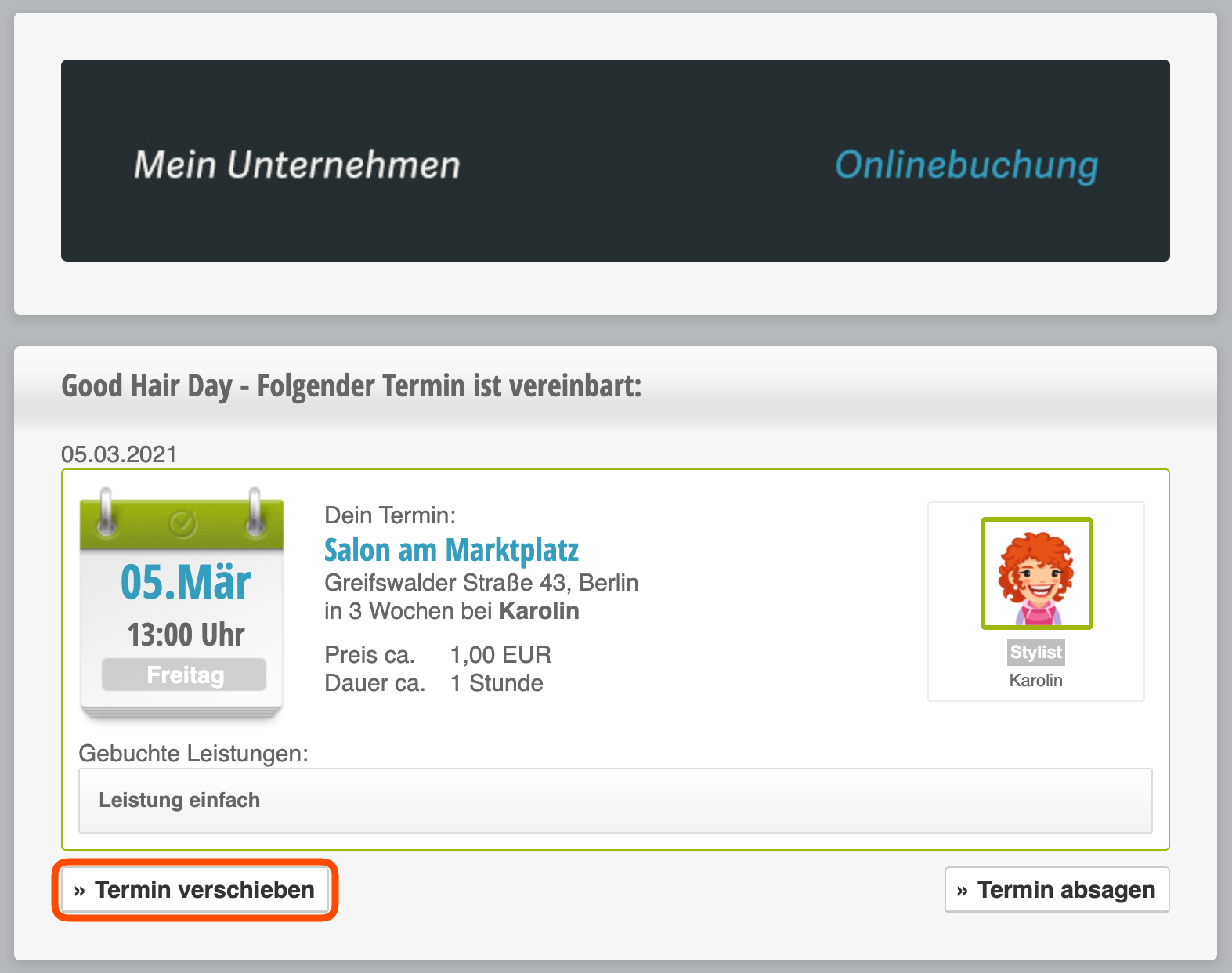
When the customer clicks on the link, they are taken to the overview page where they can reschedule the appointment. After clicking "Reschedule Appointment", they are taken directly to the time selection, where they can choose an alternative appointment.
If you offer online booking without login, your customers can only reschedule an appointment via the link in the confirmation or reminder email. Customers who logged in when booking can also reschedule appointments when they log in.
Categories: Setup & Settings
This manual is a service by belbo. Legal notice