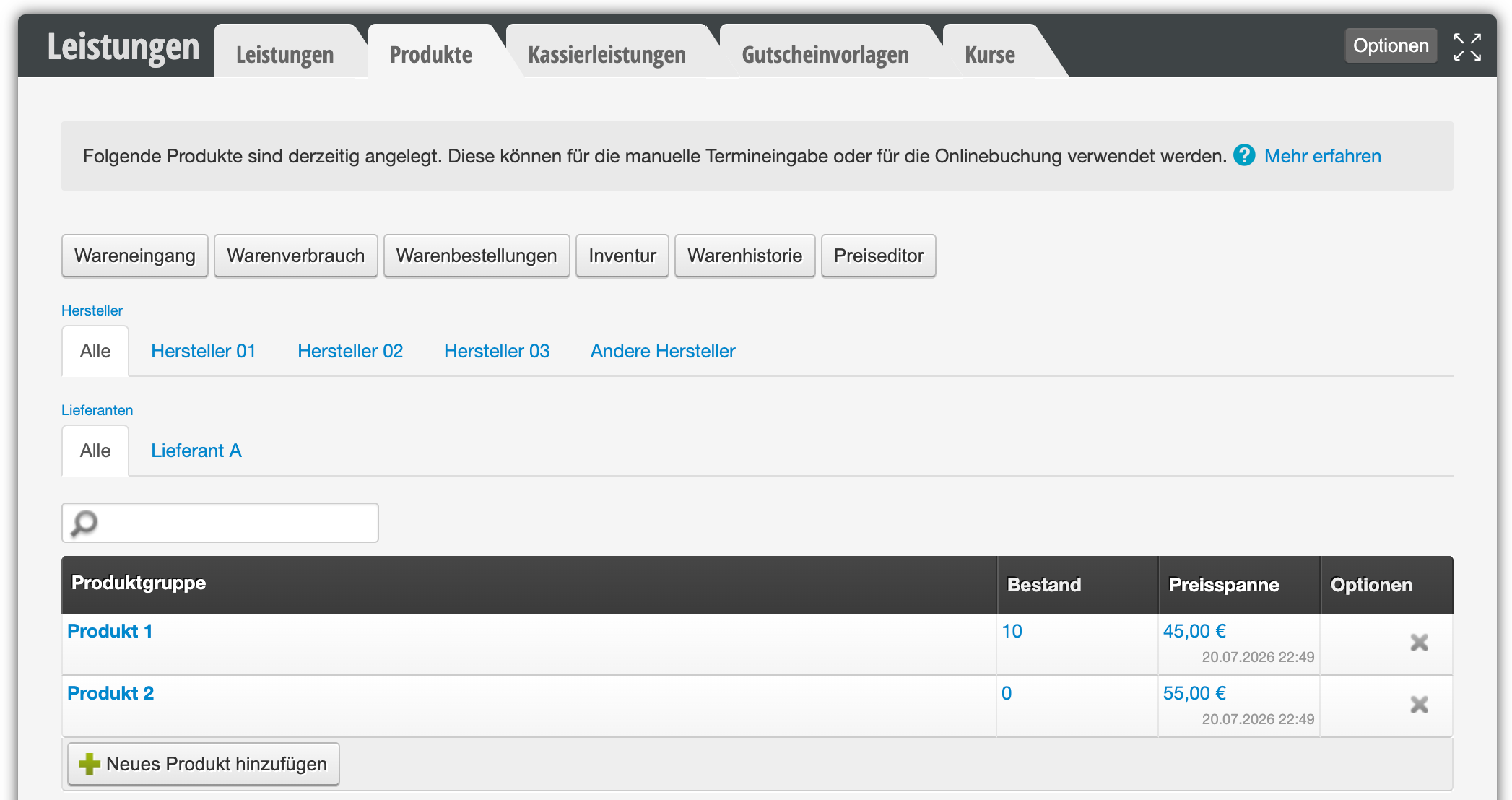
You can create product manufacturers and assign them to your products. This allows you to organize your products clearly by manufacturer and quickly and easily place orders.
Create product manufacturers
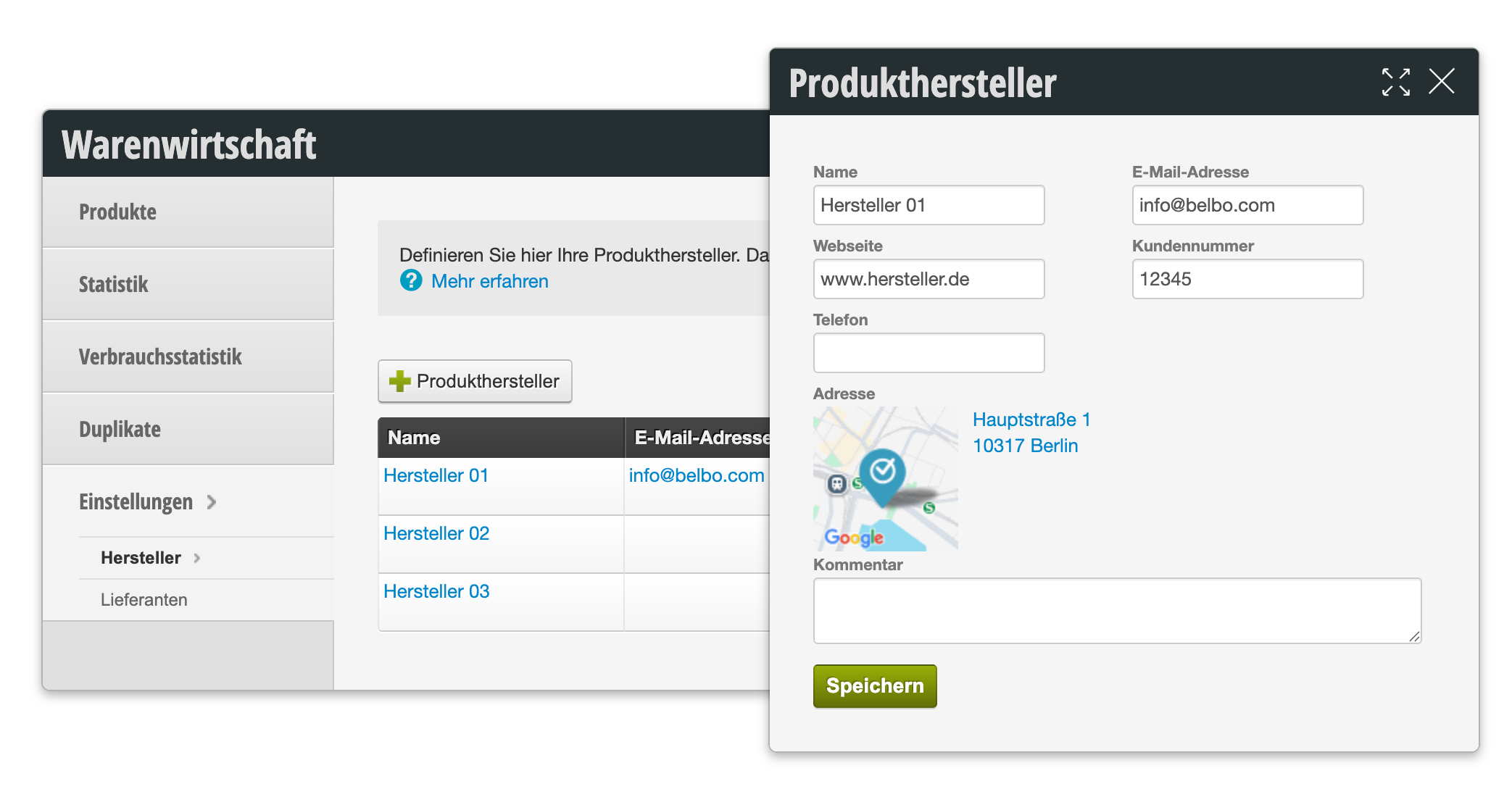
In the Product settings you can create a new manufacturer by selecting the + Product manufacturer button and filling in the required information.
Edit or delete product manufacturers
To edit an existing product manufacturer, simply click on the name and change the information.
To delete an existing product manufacturer, click on the gray cross in the row of the manufacturer you want to delete.
Assign manufacturers
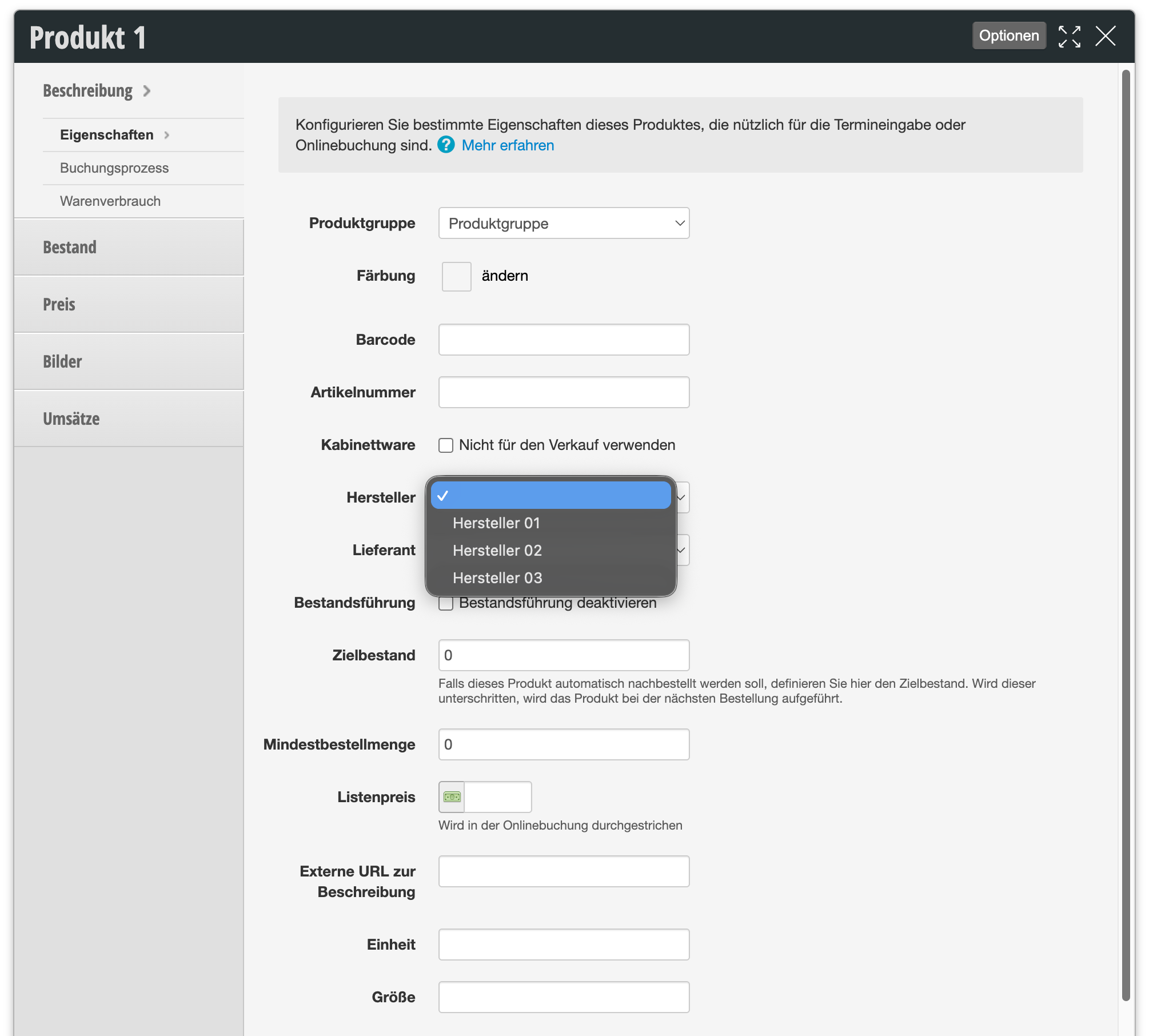
Once you have created a manufacturer, you can assign it to your products. Select the desired product and enter the manufacturer name in the Properties submenu item.
Sort products by manufacturer
Once you have created manufacturers and assigned your products to the correct manufacturer, you can sort your product overview by manufacturers.