
If you offer online booking, your users can generally book all staff members available for the selected services online. If you wish certain customers to not have the full selection, you can configure this in the respective customer accounts.
Requirements for blocking specific staff members
- You only allow online booking with login.
- Your customers must log in before they see the available staff members and free appointments.
1. Check online booking mode:
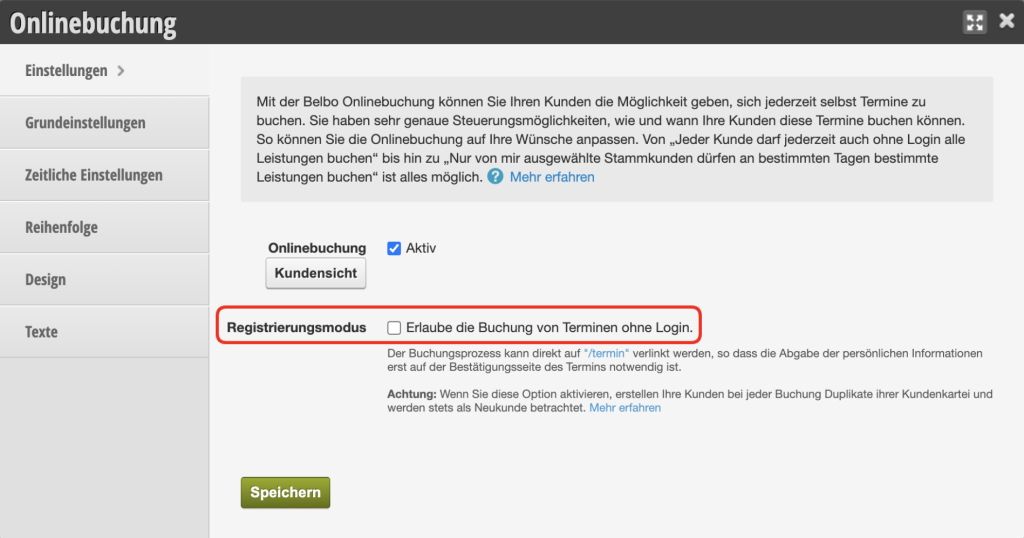
Under Settings > Online Booking the option "Registration mode / Allow booking of appointments without login" must be disabled:
2. Check registration mode
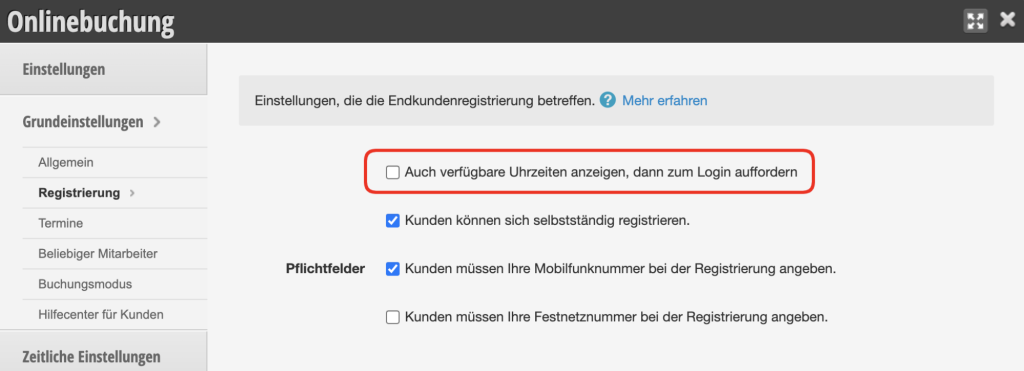
Under Settings > Online Booking > Basic Settings > Registration the option "Also display available times, then request login" must be disabled:
Set up a block for a team member
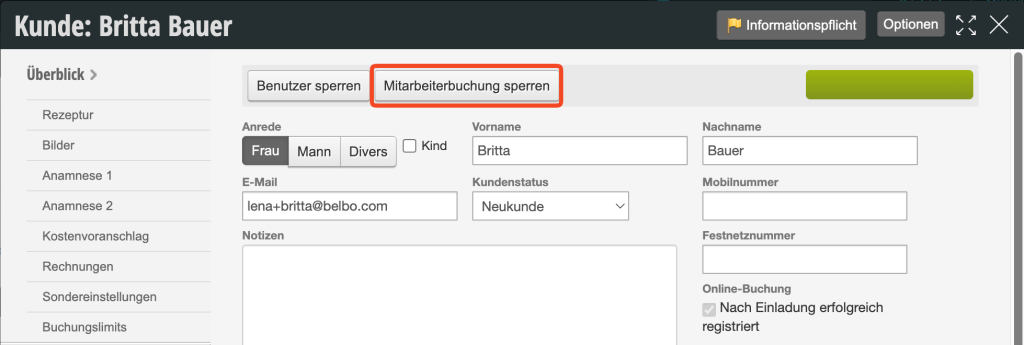
To prevent a customer from selecting one or more staff members in online booking, open the customer account and access the blocking dialog:
You can then select the desired person who should no longer be bookable by the customer in the future. A reason is not mandatory, but can provide transparency. It is not visible to the customer.
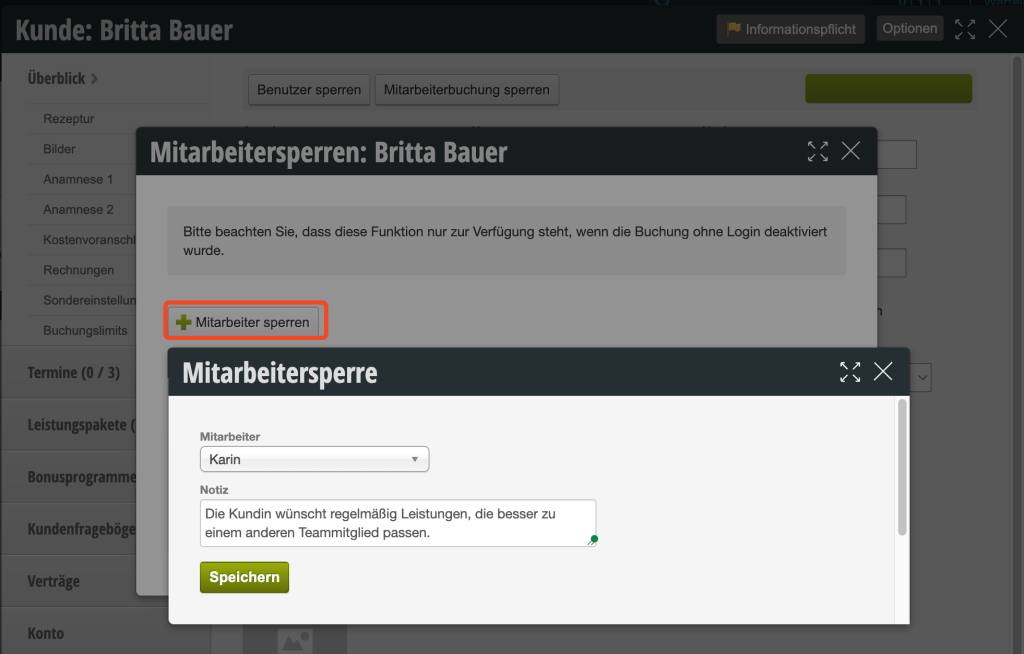
In this way, the customer will no longer see the blocked staff member as an option in the online booking.