
With hairlist it is very easy to contact all or specific customers in your client file via SMS. An SMS of 160 characters costs you 10 cents each, regardless of which subscription plan you are on - these will be listed in your next invoice. With round-robin SMS you can reach all your customers for whom the corresponding contact details are stored in the customer file. The prerequisite for marketing SMS is that the SMS module is activated in your account (you must not be in DEMO mode) and that you have already successfully sent reminder SMS.
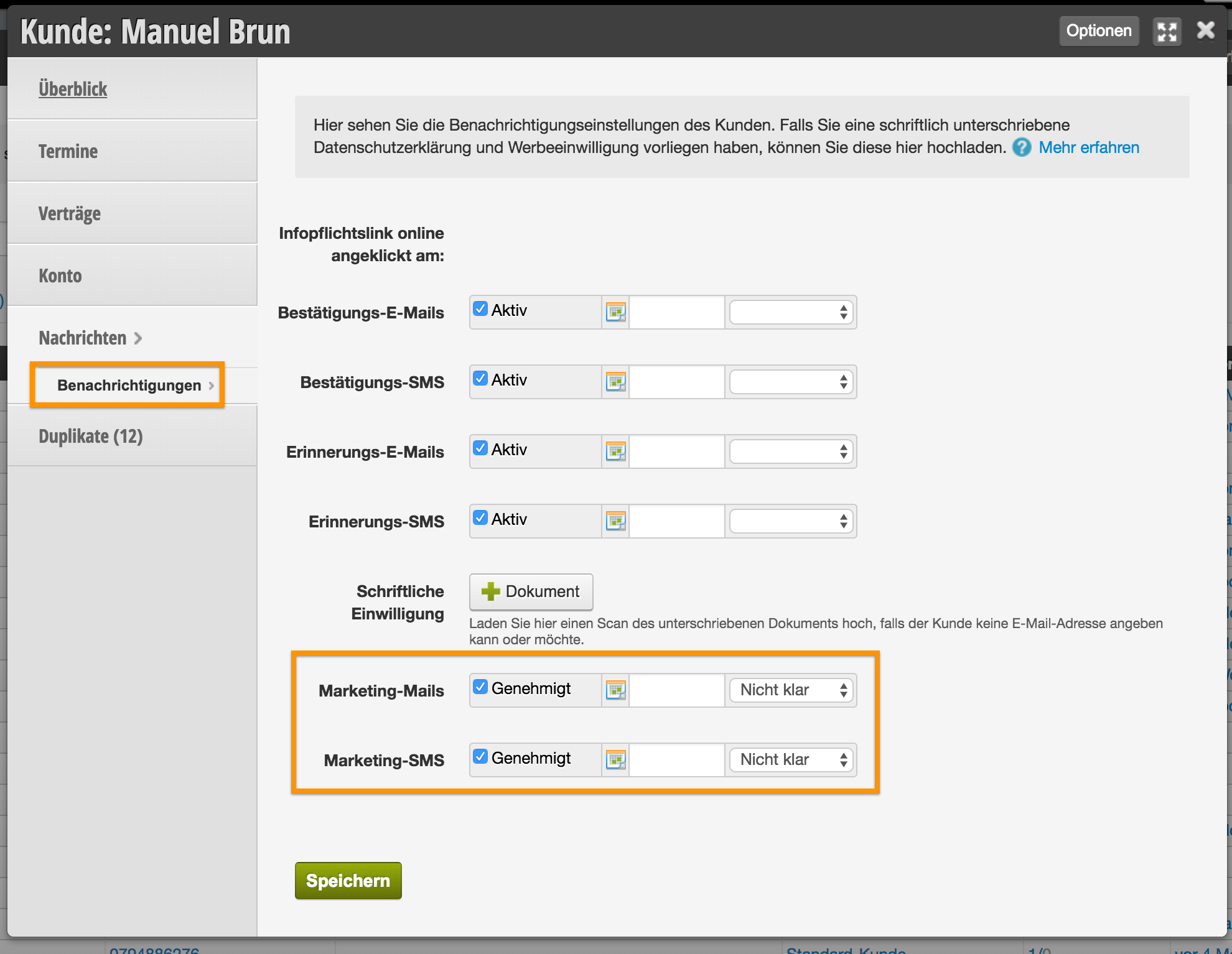
Requirement: It is legally required that your customers give their consent to receive marketing activities. In each customer file in the Messages section --> Notifications you will therefore find several checkboxes that must be activated.
How to write a mass SMS: IMPORTANT - WORK WITH GOOGLE CHROME
1. Click on the small white arrow in the navigation bar, to the right of Customers, and select Marketing.
2. You now see all your campaign drafts that you have prepared. To start a new campaign, click on the Create New Campaign button.
3. Assign a title (visible only to you) by which you can easily distinguish the campaign. Choose which customers the action should be sent to. You can select multiple statuses by holding down the Ctrl / cmd key. In the normal case, you can simply leave All Customers selected.
As the campaign type you select SMS. In the background, hairlist now searches all customers for valid mobile numbers and filters out duplicate numbers. If the window closes automatically, this process is complete. Now click on the newly created title to edit the SMS.
4. In the Text tab you can now determine the content of your SMS. You have some placeholders available here and you will also see immediately how long your SMS already is.

The placeholders are then inserted individually according to the message recipient. They allow you, for example, to address each customer personally with first and last name. Important: The placeholders only work with the Google Chrome browser.
- Salutation Mr / Mrs: depending on the case, Mr or Mrs will be inserted
- Formal Salutation (Dear Mr / Mrs…): will be replaced with Dear Mrs Smith or Dear Mr Miller. So the last names are already in this placeholder!
- Friendly Salutation (Dear…): will be replaced with Dear Mrs Vreni Smith or Dear Mr Martin Miller. So first & last names are already in this placeholder!
- First Name: will be replaced with just the first name alone (if you write, for example, "HI" or "HELLO" or Good Morning before it and don't use a salutation from us)
- Last Name: will be replaced with just the first name alone (if you write, for example, "Hello First Name" before it and don't use a salutation from us)
When using placeholders, be sure to click Save so you can see if the changes were made correctly. After saving you will also see your final character count and can calculate how much your campaign will cost (number of recipients * number of SMS * 10 cents).
Then switch back to the General tab and send the campaign with one click on Start SMS Sending.
Your SMS will now be passed on to our provider and queued. It can therefore take a few hours until the SMS have been sent completely. However, you can check the status at any time and see when the campaign has been successfully sent.