belbo
  • Overview
    • Getting to know Belbo
    • Location Settings
    • Switch to Belbo
    • Calendar View & Navigation
    • Recurring Appointments & Courses
    • Appointment Entry & Management
    • Logins & Permissions
    • Multiple Locations & Head Office
    • Manage Employees
    • Absences & Holidays
    • General
    • Working Hours
    • Time Tracking
    • Data Protection (GDPR)
    • Customer Communication (Email, SMS)
    • Customer Management & Records
    • Bonus & Loyalty Programs
    • Campaigns (Newsletter & SMS)
    • Marketing Consents (GDPR)
    • Tracking & Analytics
    • Overview
    • Services & Prices
    • Products
    • Service Packages & Subscriptions
    • Vouchers
    • Purchasing & Suppliers
    • Stock & Inventory
    • Scanning & Sales
    • Cost of goods & expenses
    • Design & Texts
    • Setup & Settings
    • Integration (Website, Google, Instagram, Facebook)
    • Online payment
    • Accounting & Exports
    • Cash Register Settings & Hardware
    • Checkout process
    • Daily Closing & Reports
    • TSE & Cash Register Anti-Tampering Ordinance
    • Export Overview
    • Employee Utilization
    • Revenue & Reports
    • Belbo Satellite
    • Printer
    • EC Terminal & Card Payment
    • Troubleshooting Hardware
    • Scanner & POS Devices
    • General Settings
    • API & Integrations
    • Notifications & Emails
    • Contracts & Legal
Skip to content

Cost estimate

Cost estimate: A new customer field type "Multiple Products" allows services & products to be stored in the customer file, which can also be sent via email. Users without a Belbo cash register system can also use this function.


Requirements for creating and sending cost estimates

  • A customer field must be created in a separate tab for the estimate.
  • A direct message template with a corresponding placeholder must be created

Create file tab and customer field

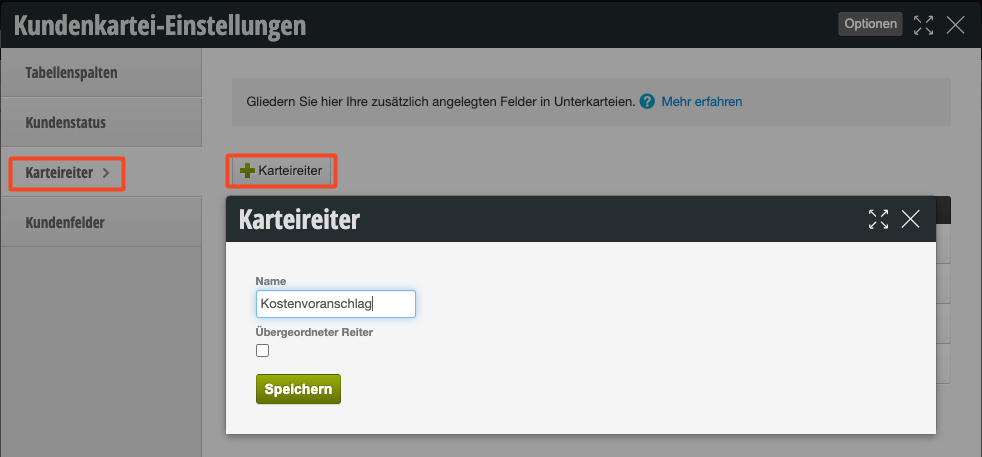
Under Settings > Customer Settings, a new tab can first be created:
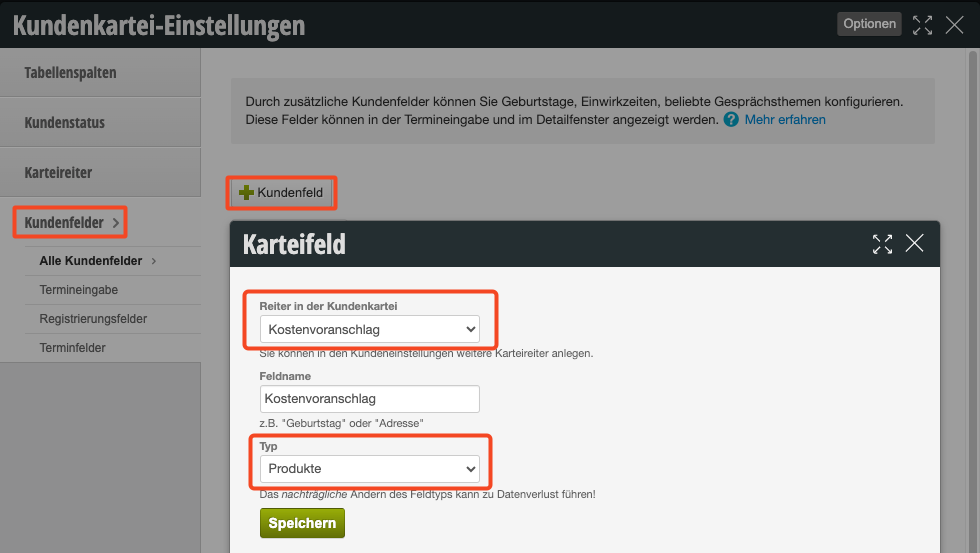
Then a customer field can be created in this file tab:
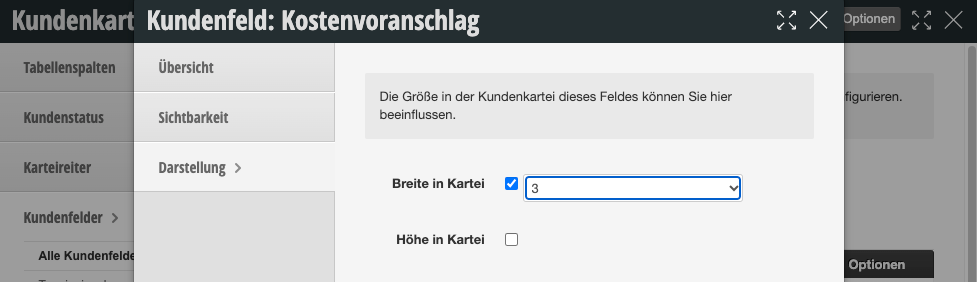
We recommend storing the field in a separate tab with width 3:

Create direct message template

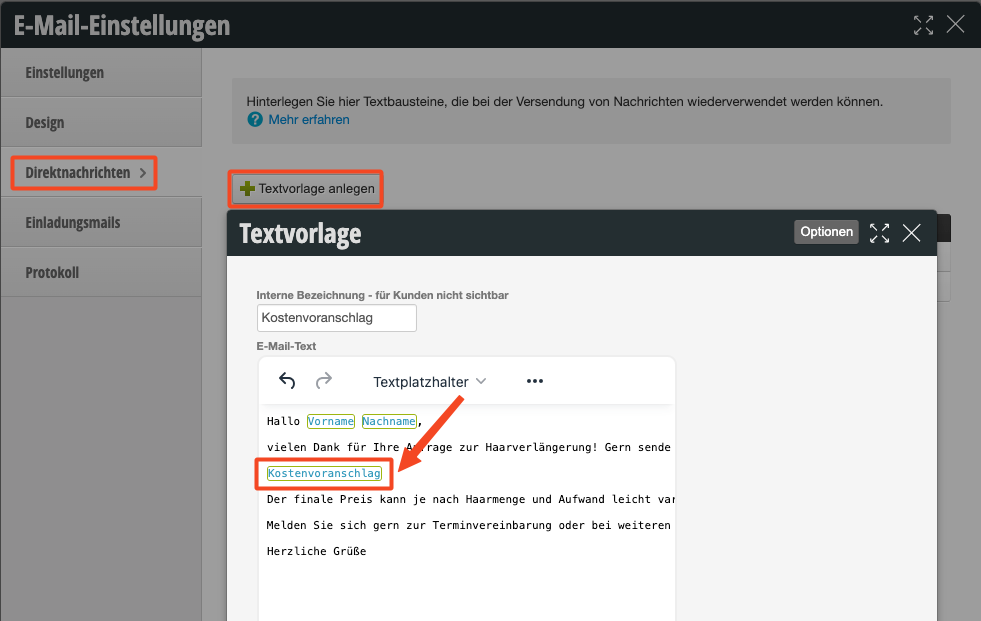
Under Settings > Email Settings, an email template can now be created as a direct message. Here you can add the "Cost estimate" placeholder in the "Text placeholders" menu at the desired location.
Create cost estimate in customer file

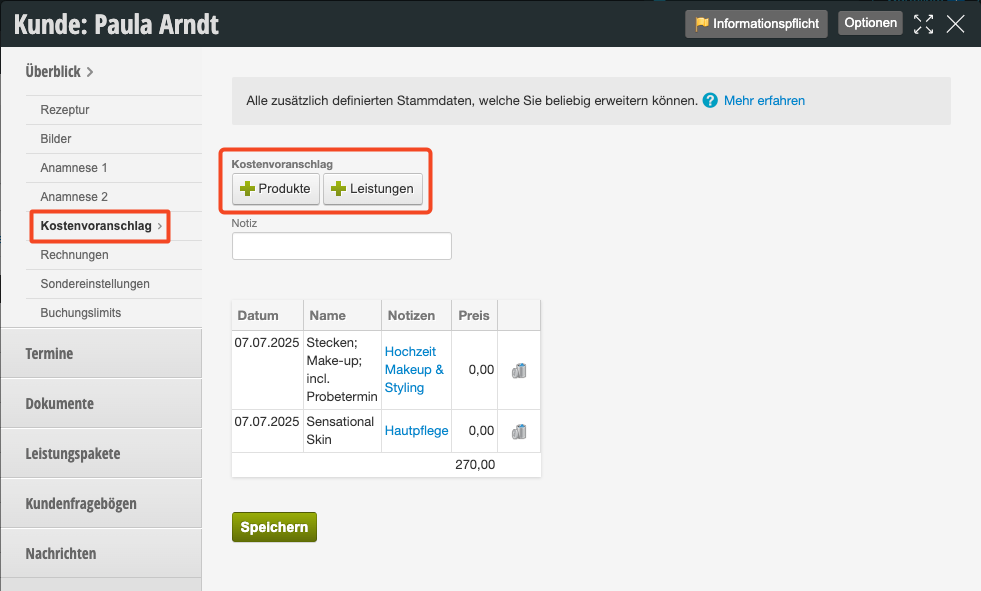
The "Cost estimate" tab can now be found in all customer files. Here you can assemble products and services. The prices of all linked services & products are summed up.

Send cost estimate

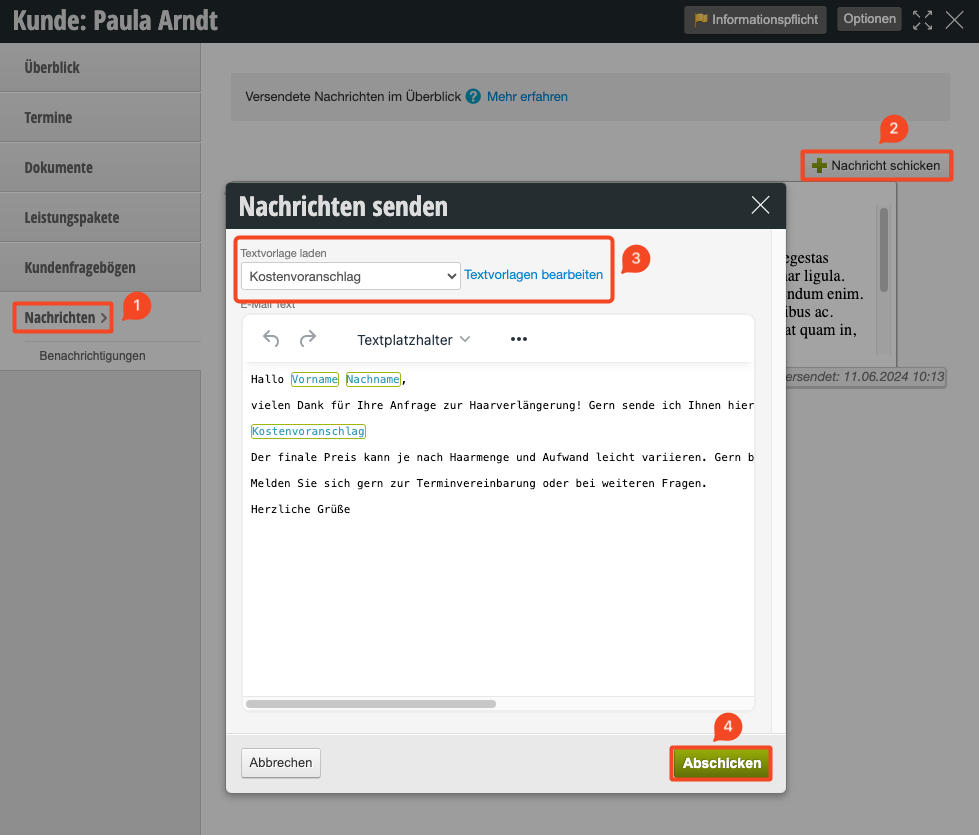
In the "Messages" tab, an email can now be sent to the user. The direct message template created above is selected and the message is sent to the customer.
The customer now receives an email with a list of the assembled items:

Categories: Checkout process
This manual is a service by belbo. Legal notice