belbo
  • Overview
    • Getting to know Belbo
    • Location Settings
    • Switch to Belbo
    • Calendar View & Navigation
    • Recurring Appointments & Courses
    • Appointment Entry & Management
    • Logins & Permissions
    • Multiple Locations & Head Office
    • Manage Employees
    • Absences & Holidays
    • General
    • Working Hours
    • Time Tracking
    • Data Protection (GDPR)
    • Customer Communication (Email, SMS)
    • Customer Management & Records
    • Bonus & Loyalty Programs
    • Campaigns (Newsletter & SMS)
    • Marketing Consents (GDPR)
    • Tracking & Analytics
    • Overview
    • Services & Prices
    • Products
    • Service Packages & Subscriptions
    • Vouchers
    • Purchasing & Suppliers
    • Stock & Inventory
    • Scanning & Sales
    • Cost of goods & expenses
    • Design & Texts
    • Setup & Settings
    • Integration (Website, Google, Instagram, Facebook)
    • Online payment
    • Accounting & Exports
    • Cash Register Settings & Hardware
    • Checkout process
    • Daily Closing & Reports
    • TSE & Cash Register Anti-Tampering Ordinance
    • Export Overview
    • Employee Utilization
    • Revenue & Reports
    • Belbo Satellite
    • Printer
    • EC Terminal & Card Payment
    • Troubleshooting Hardware
    • Scanner & POS Devices
    • General Settings
    • API & Integrations
    • Notifications & Emails
    • Contracts & Legal
Skip to content

Cashier Process: Link Gift Card

If you offer gift cards with a barcode already printed on them and want them to be loaded when purchasing gift certificates, you can link these cards with the gift certificates sold in Belbo. During redemption, the card can be scanned to deduct the redeemed amount from the balance.



Plastic cards with individually printed barcodes can be obtained from print shops or online. We recommend our partner Krämer Consulting & Conversion.


For this function, we recommend using a scanner.

Activate card linking


You can access this area via Settings > Gift Certificates & Discounts
If this function is not enabled, it can be activated via "Settings > Add Function".

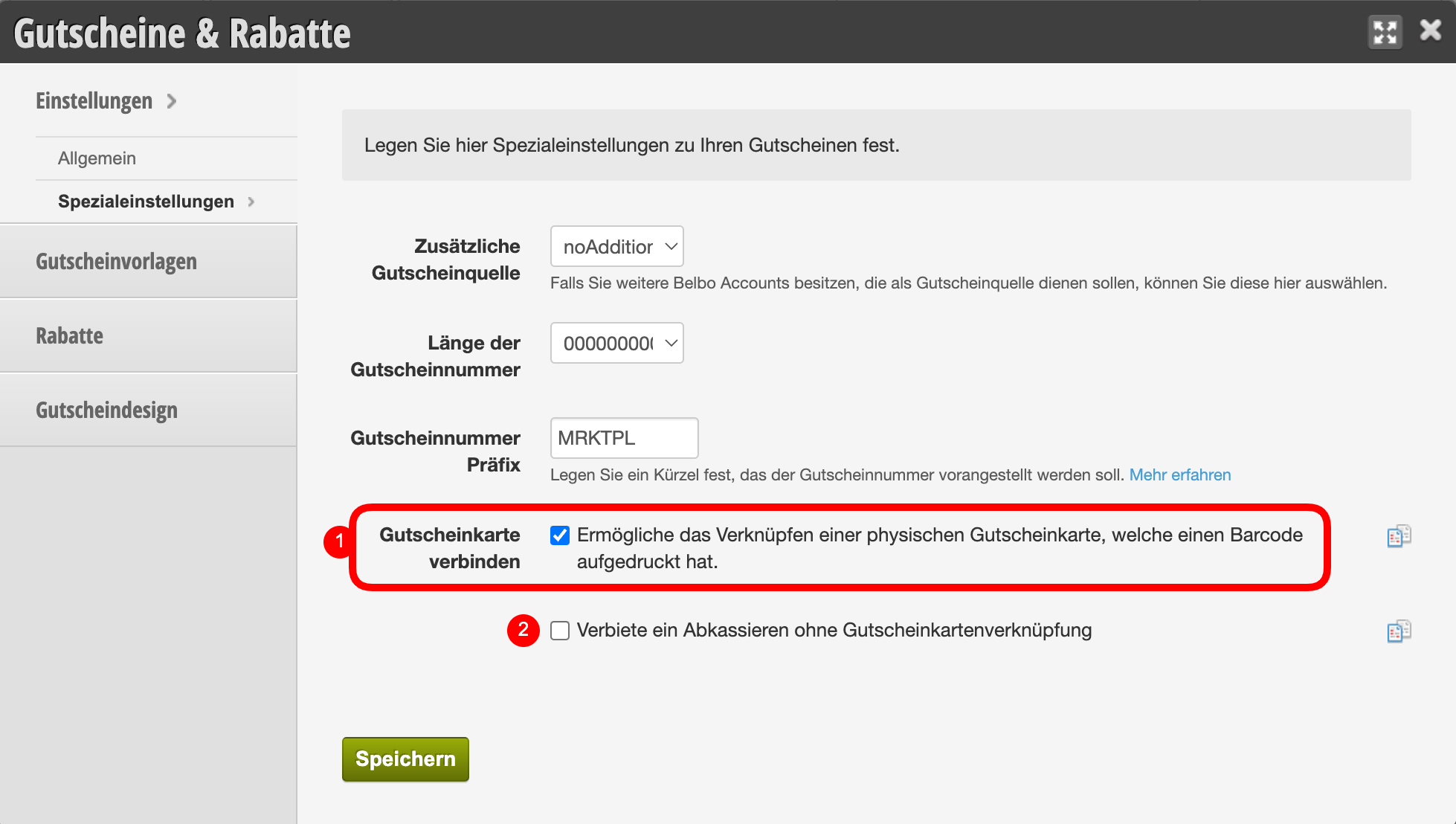
In the gift certificate settings, the function can be activated under Settings > Special Settings (1). If you wish, you can restrict the sale of gift certificates to the sale of gift cards (2).

Link gift certificate sale with card

When selling a gift certificate, you can now link the card with the gift certificate value and load the card accordingly.

  1. Add the gift certificate to the checkout process.
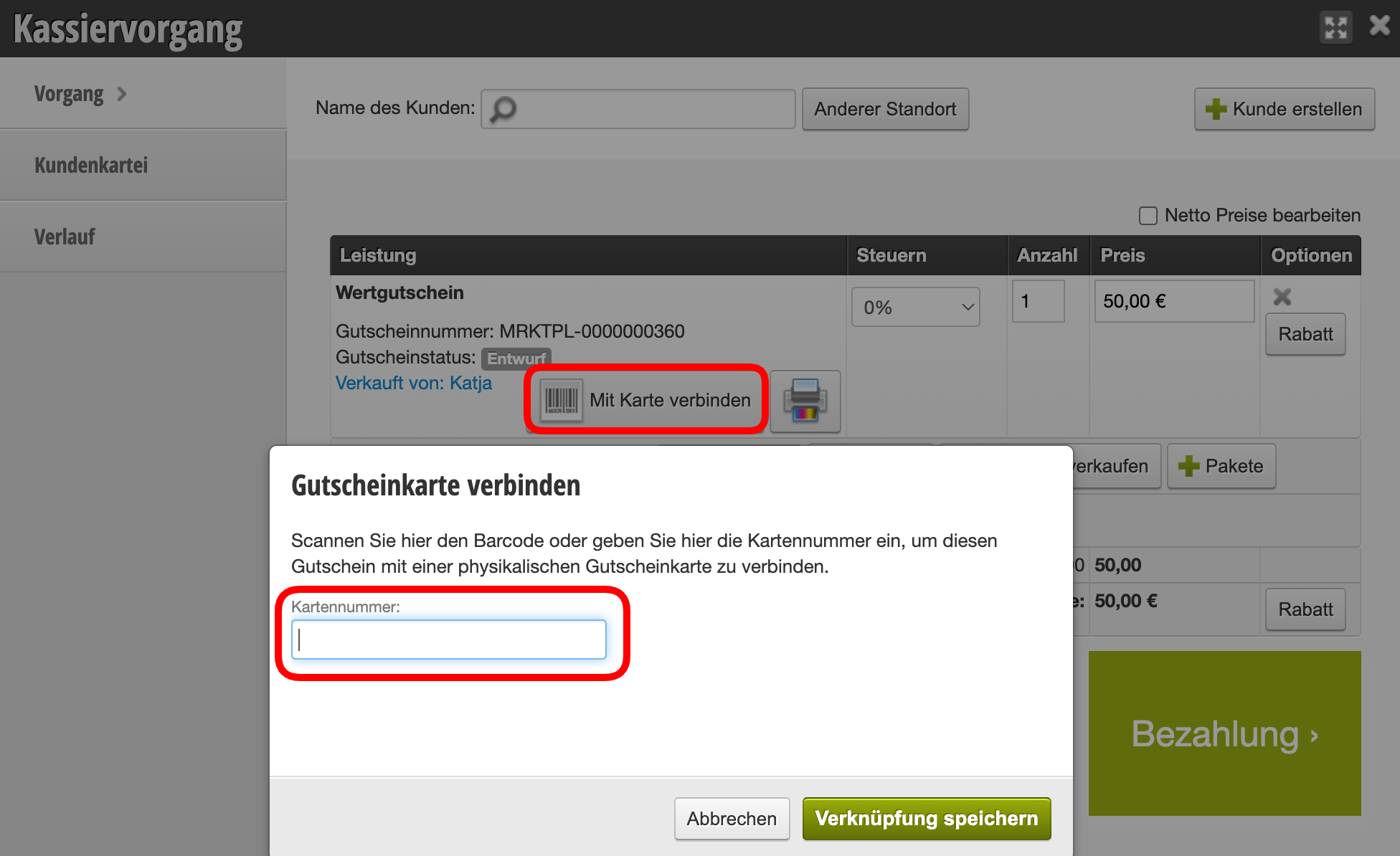
  2. Use the "Link with Card" button.
  3. Scan the barcode on the card.
  4. Complete the checkout as usual.

The same card can also be linked in further checkout processes to reload it.

Redeem gift card

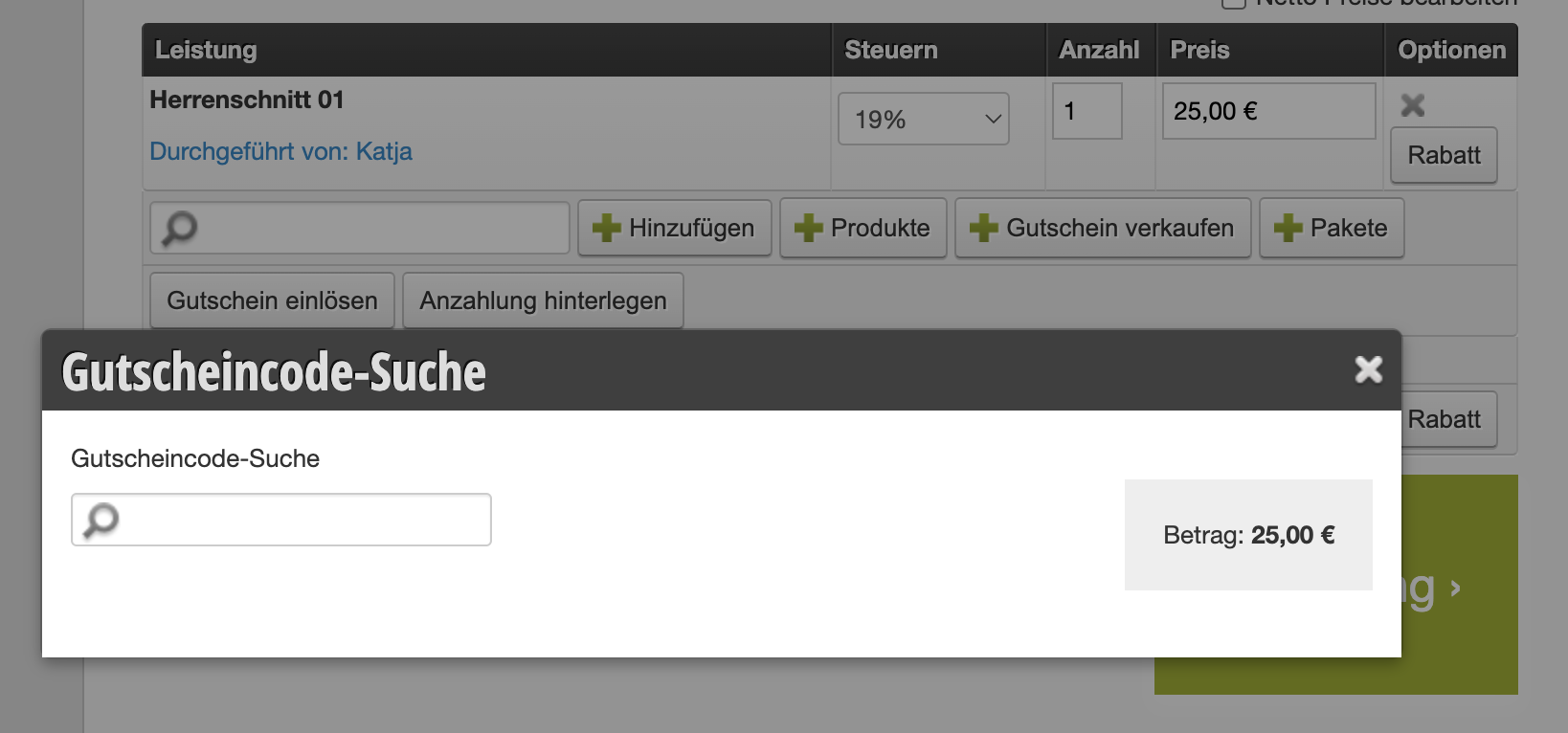
The loaded card can now be scanned during redemption to be (partially) redeemed. To do this, scan the barcode when the mouse cursor is in the gift certificate number search field.

Categories: Checkout process
This manual is a service by belbo. Legal notice