You are legally required to inform your customers that you are processing their data. Furthermore, you must inform your customers about the duration, the legal basis and the purpose of the storage and other circumstances. You should also communicate the name and contact details of the responsible party and, if applicable, your data protection officer to your customers in the event of data processing. In addition, the customer should be informed of their rights (including the ability to request or delete data as well as the possibility of filing a complaint with the competent supervisory authority).
With Belbo's online booking system, the customer is informed by email about the storage and all other required information. This happens automatically when your customers make an online booking. If the customer does not want to or cannot provide an email contact, it is possible to keep a written template available for the customer in your business.
If a customer books an appointment by telephone or comes to your business in person, you must inform the customer by telephone or in person about the data processing. You can also send the customer an email from the customer file:
Information obligation in the customer file
In each customer file, you will be informed by a note icon if a customer has not yet received information about the collection of personal data. If an email address has been provided for the customer, you can send this information to the customer by email.

Simply click on the button marked with an orange flag to get a preview of the message that will be sent to the customer in the next step. You can then send the message to the customer.
Information obligation for existing customers
The information obligation arises as soon as you collect new data (for example, by booking an appointment for this customer). Existing customer data that was entered before 25.05.2018 remains unaffected by the regulation as long as no new data of the customer is collected.
Edit email text yourself
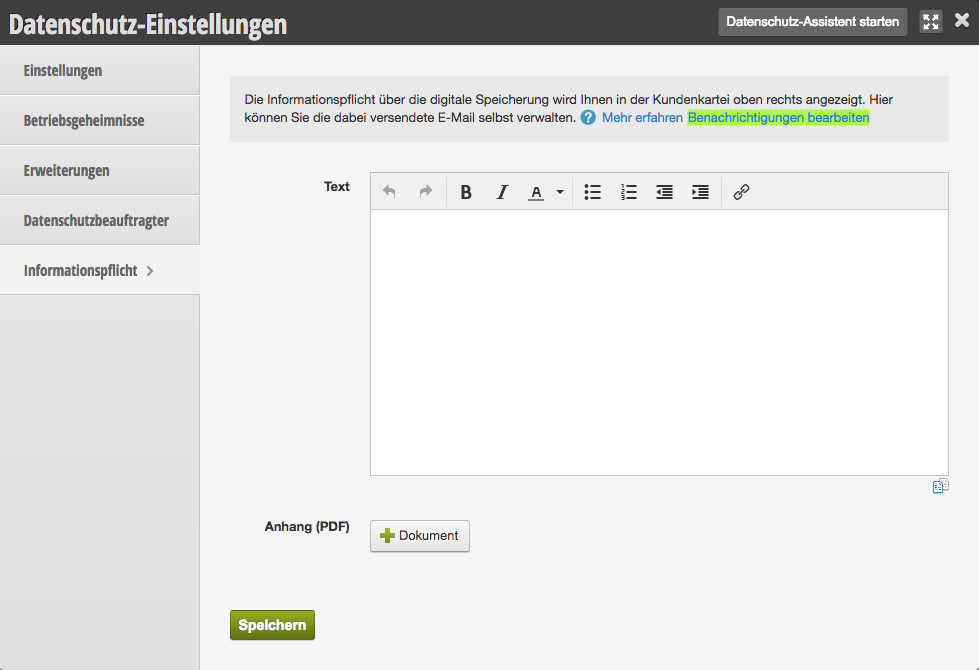
The email sent to your customers has standard text. If you would like to write it yourself, you can override the template. You can find this function under Settings > Data Protection > Information Obligation.