
belbo
  • Overview
    • Getting to know Belbo
    • Location Settings
    • Switch to Belbo
    • Calendar View & Navigation
    • Recurring Appointments & Courses
    • Appointment Entry & Management
    • Logins & Permissions
    • Multiple Locations & Head Office
    • Manage Employees
    • Absences & Holidays
    • General
    • Working Hours
    • Time Tracking
    • Data Protection (GDPR)
    • Customer Communication (Email, SMS)
    • Customer Management & Records
    • Bonus & Loyalty Programs
    • Campaigns (Newsletter & SMS)
    • Marketing Consents (GDPR)
    • Tracking & Analytics
    • Overview
    • Services & Prices
    • Products
    • Service Packages & Subscriptions
    • Vouchers
    • Purchasing & Suppliers
    • Stock & Inventory
    • Scanning & Sales
    • Cost of goods & expenses
    • Design & Texts
    • Setup & Settings
    • Integration (Website, Google, Instagram, Facebook)
    • Online payment
    • Accounting & Exports
    • Cash Register Settings & Hardware
    • Checkout process
    • Daily Closing & Reports
    • TSE & Cash Register Anti-Tampering Ordinance
    • Export Overview
    • Employee Utilization
    • Revenue & Reports
    • Belbo Satellite
    • Printer
    • EC Terminal & Card Payment
    • Troubleshooting Hardware
    • Scanner & POS Devices
    • General Settings
    • API & Integrations
    • Notifications & Emails
    • Contracts & Legal
Skip to content

Setting up a Facebook Booking Link

If you've created a Facebook page for your business, you can link your online booking there. This gives existing and new customers who see your offers on Facebook the immediate opportunity to book a corresponding appointment at your business.

Add booking to the header of your Facebook page

Facebook gives you the option to insert a prominent button directly in the upper area of your page:
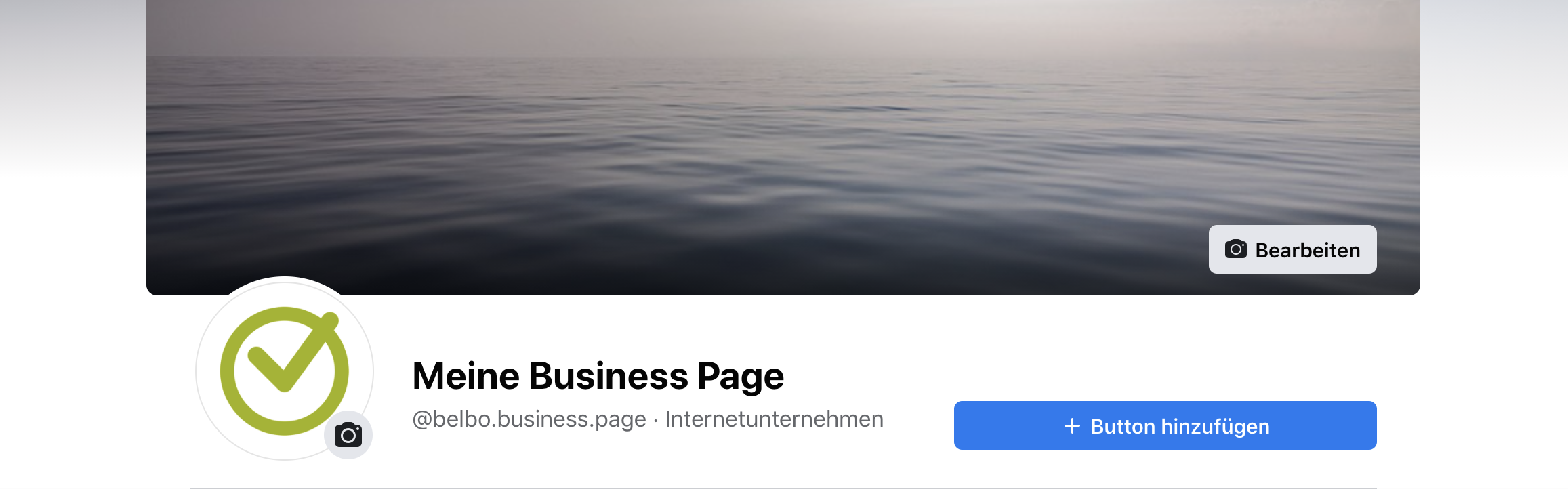
Click the button to add it. You can then specify what action you want your users to take with the button. Choose either "Sign Up" or "Contact Us".
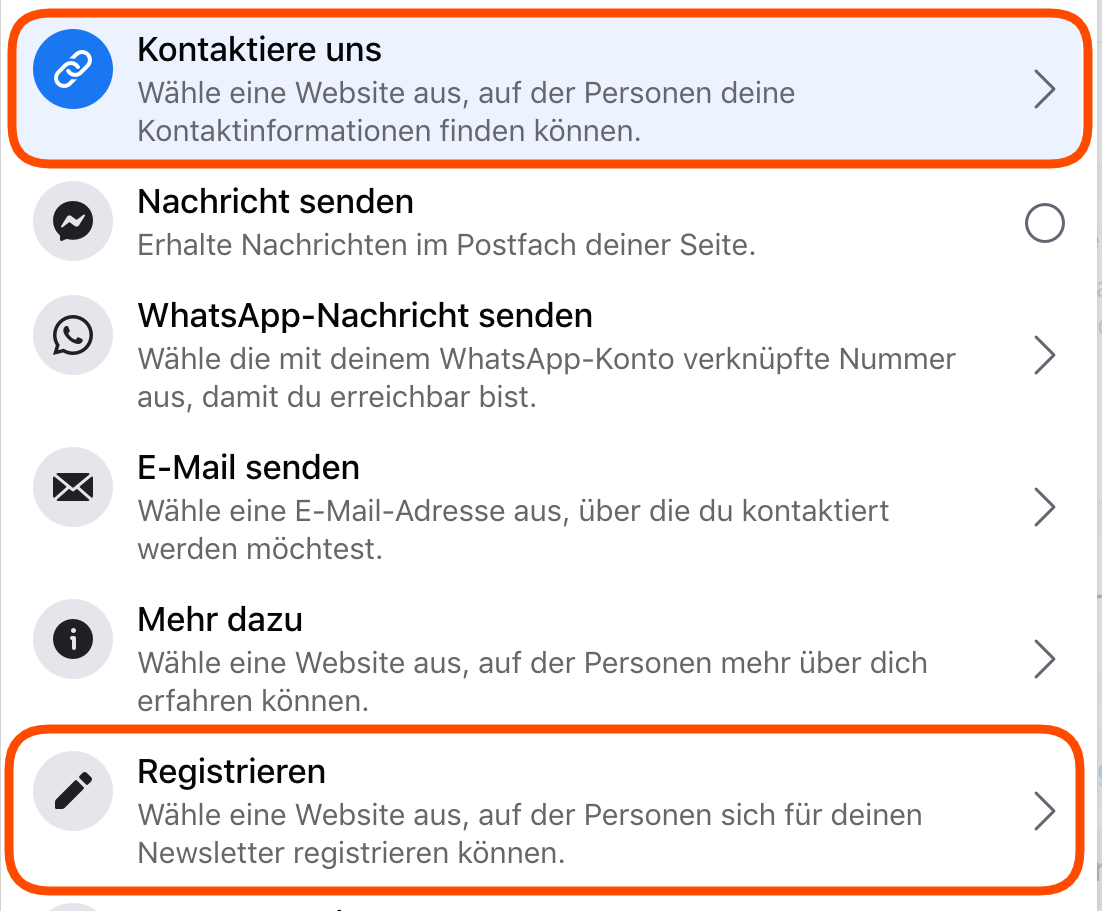
Now you can determine which type of booking you want to integrate. Since the Belbo online booking page is an external website, select this option. Then enter the link to your own booking page (shown as an example in the image).
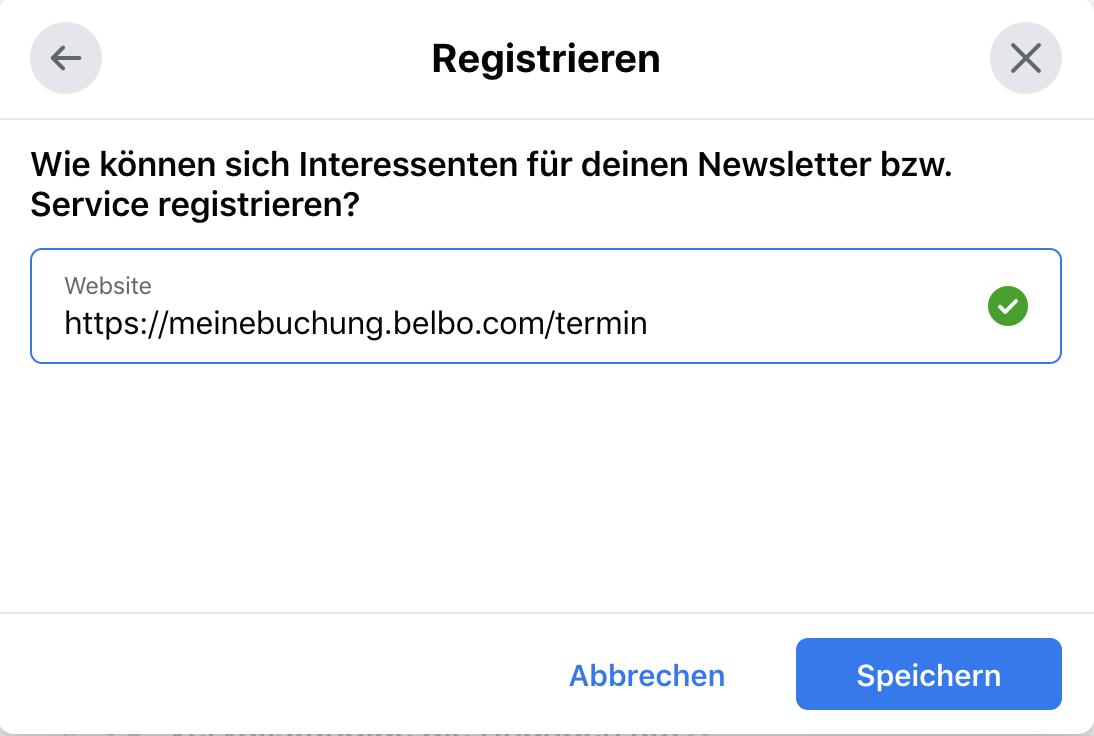
After saving, your users can access your online booking directly from Facebook.

Categories: Integration (Website, Google, Instagram, Facebook)
Tags: Facebook
This manual is a service by belbo. Legal notice