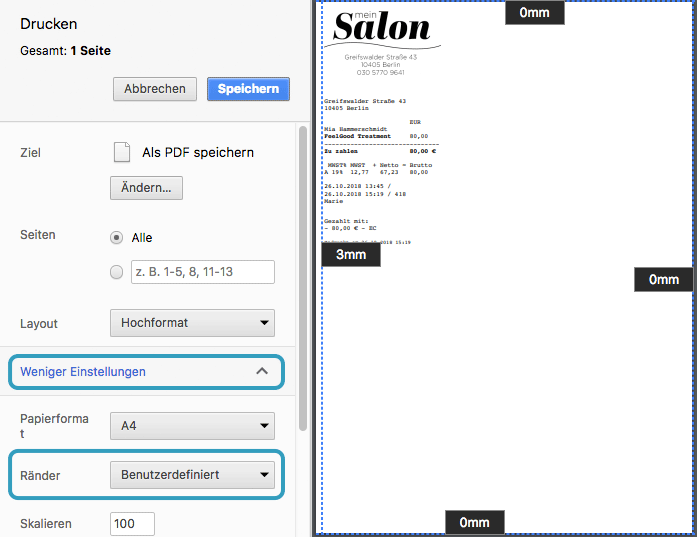
With the Belbo cash register system you can print receipts. If the printout doesn't quite match your paper format, you can adjust the width and margins of the receipt yourself.
Receipt is cut off on the left
If the first characters of each column on your receipt are cut off, you can specify in the printer settings what distance the print should have from the margins.
- Click on an already completed appointment in your calendar and select the "View Invoice" button.
- Click "Print Invoice" in the invoice overview.
- Your printer's print dialog will open.
- Under Margins, click on "More Settings" (term may vary slightly) and specify that the margins should be custom.
- Margin markers will appear in the print preview, which you can drag with the mouse to the desired position. A few millimeters are usually sufficient.