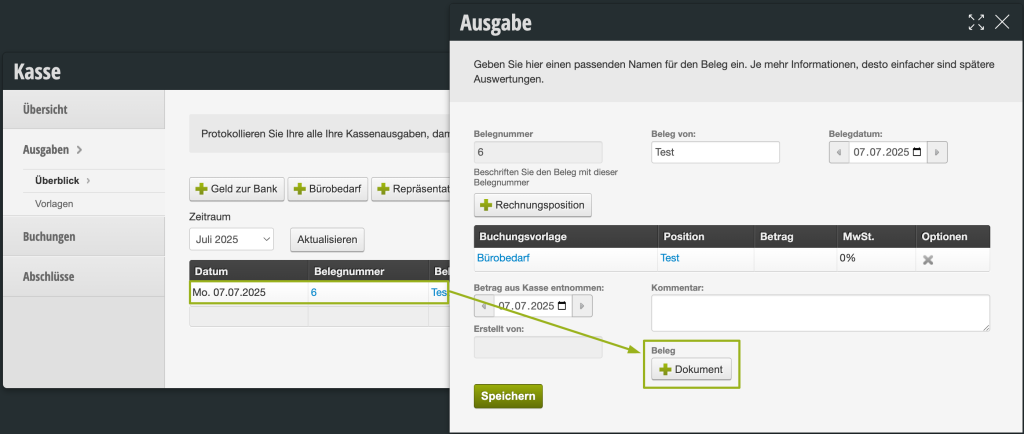
For each expense, you can now upload a PDF, image or similar to have the original receipts for the expenses readily available.
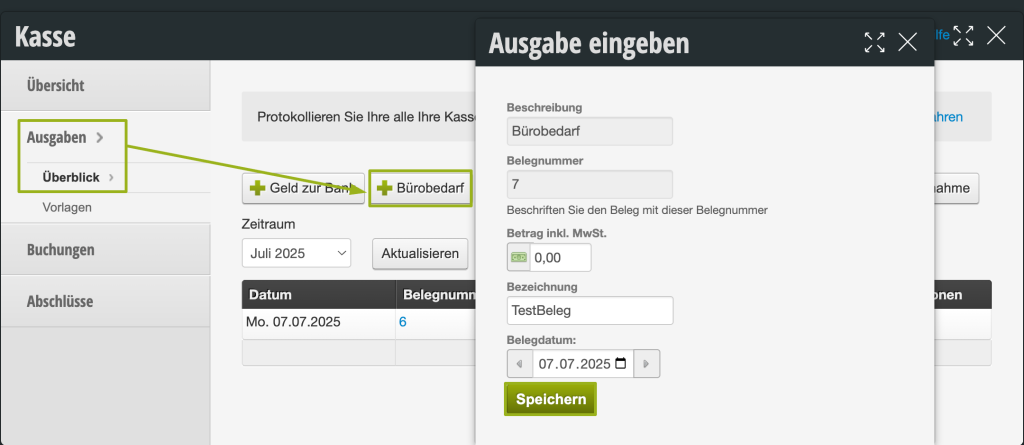
To do this, go to your cash register module under Expenses, create a corresponding expense, and then you can add your receipt by clicking the Add Document button.