In Belbo you can specify that certain steps of a service are performed by an assistant. You can also define exceptions if certain employees should perform this step themselves.
Prerequisite for defining exceptions
The service for which you want to define exceptions consists of several steps:
- At least one step takes place with the booked employee.
- At least one additional step is handled by an employee of a different role.
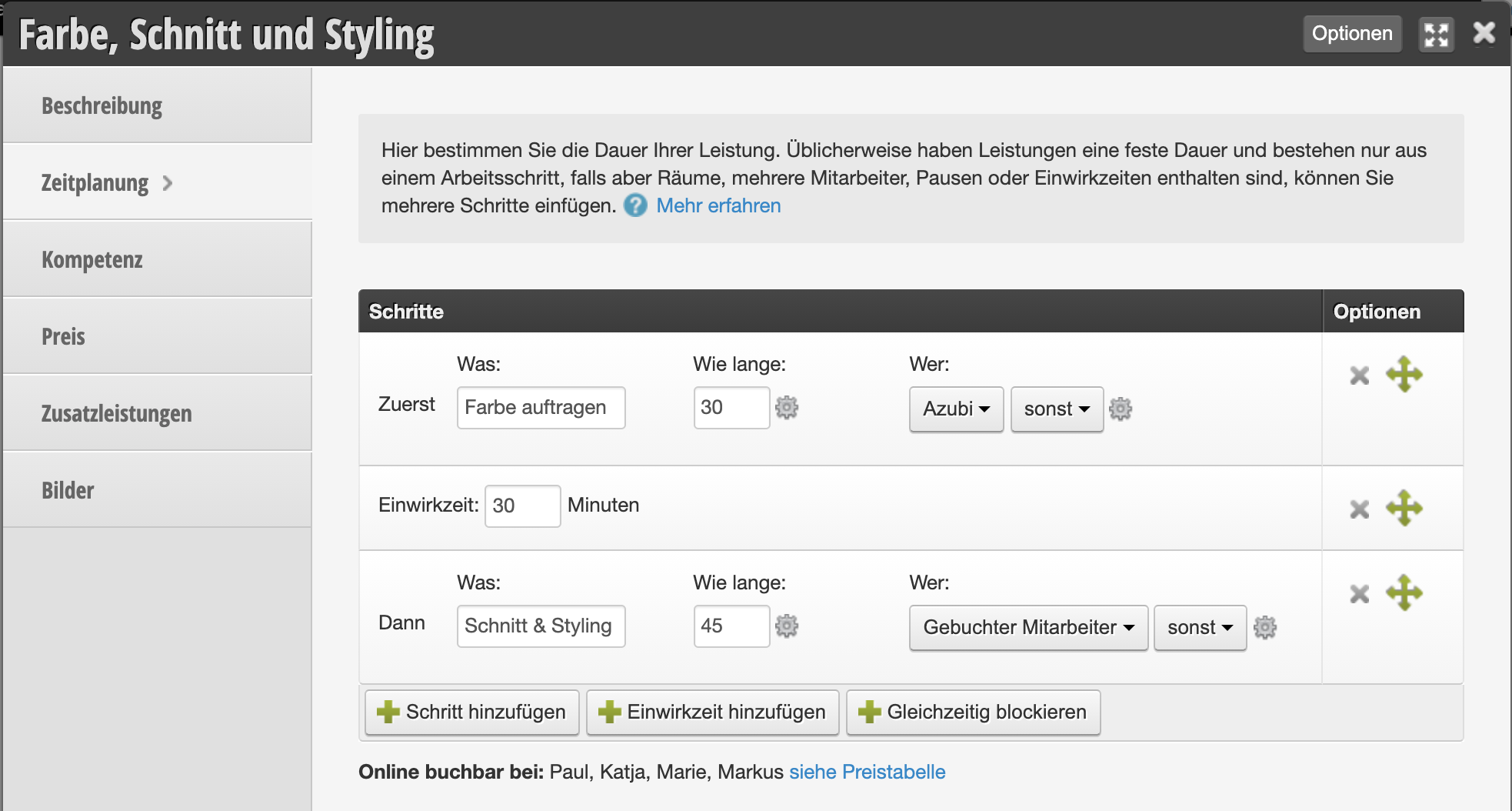
In the setting shown above, the first step is always assigned to an apprentice. If you want employees with the "Junior Stylist" role to perform the first step themselves, you can set up the service as follows.
Define assistant step
First, you need to mark which of the steps in a service is the assistant step:
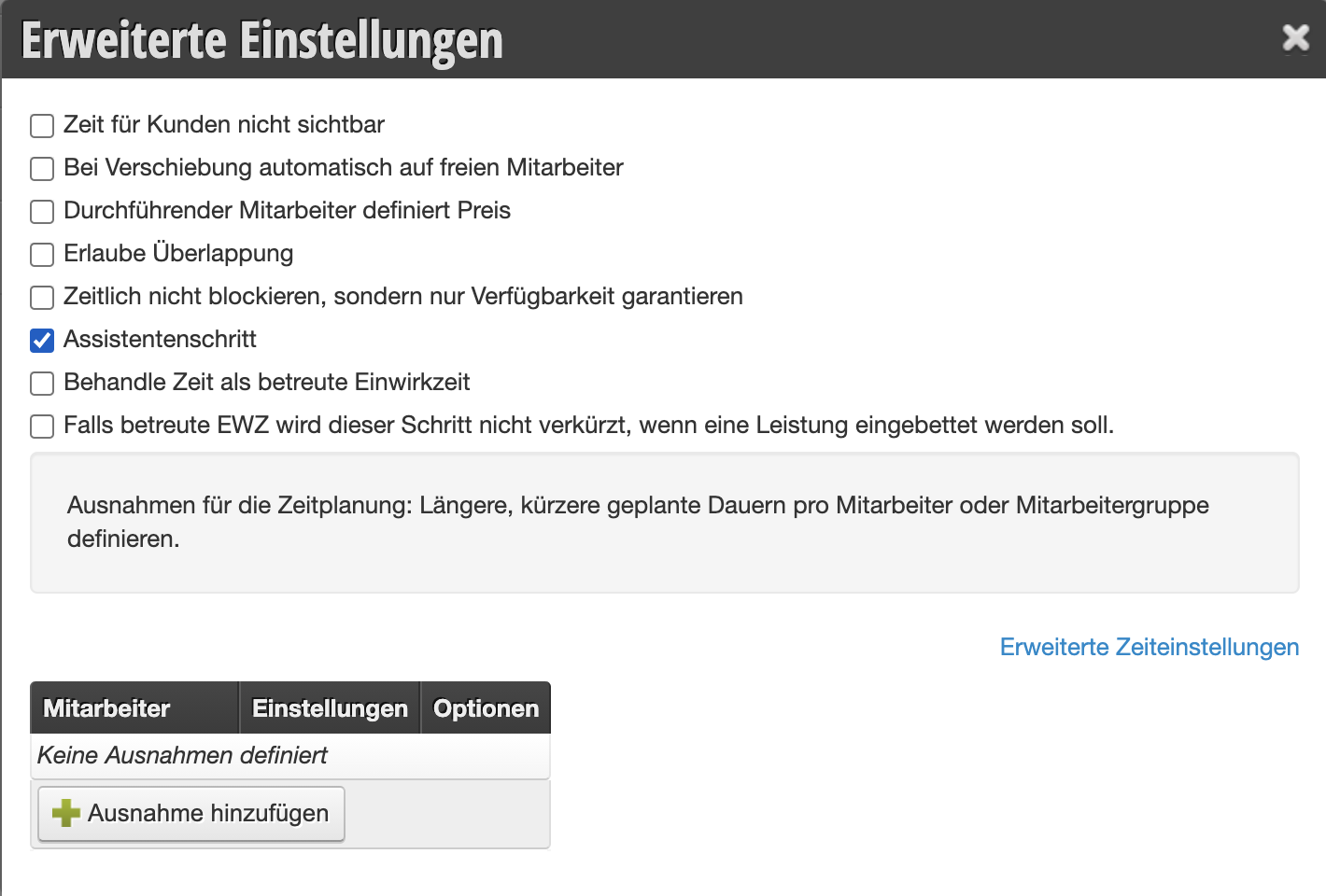
- Click the gear icon next to the duration in the step you want to mark as an assistant step.
- A dialog opens where you can activate the "Assistant step" option.
- You can close the dialog without saving.
Specify employees without assistance
Now you can check the box in the price overview of the service for those employees or employee roles who do not require assistance:
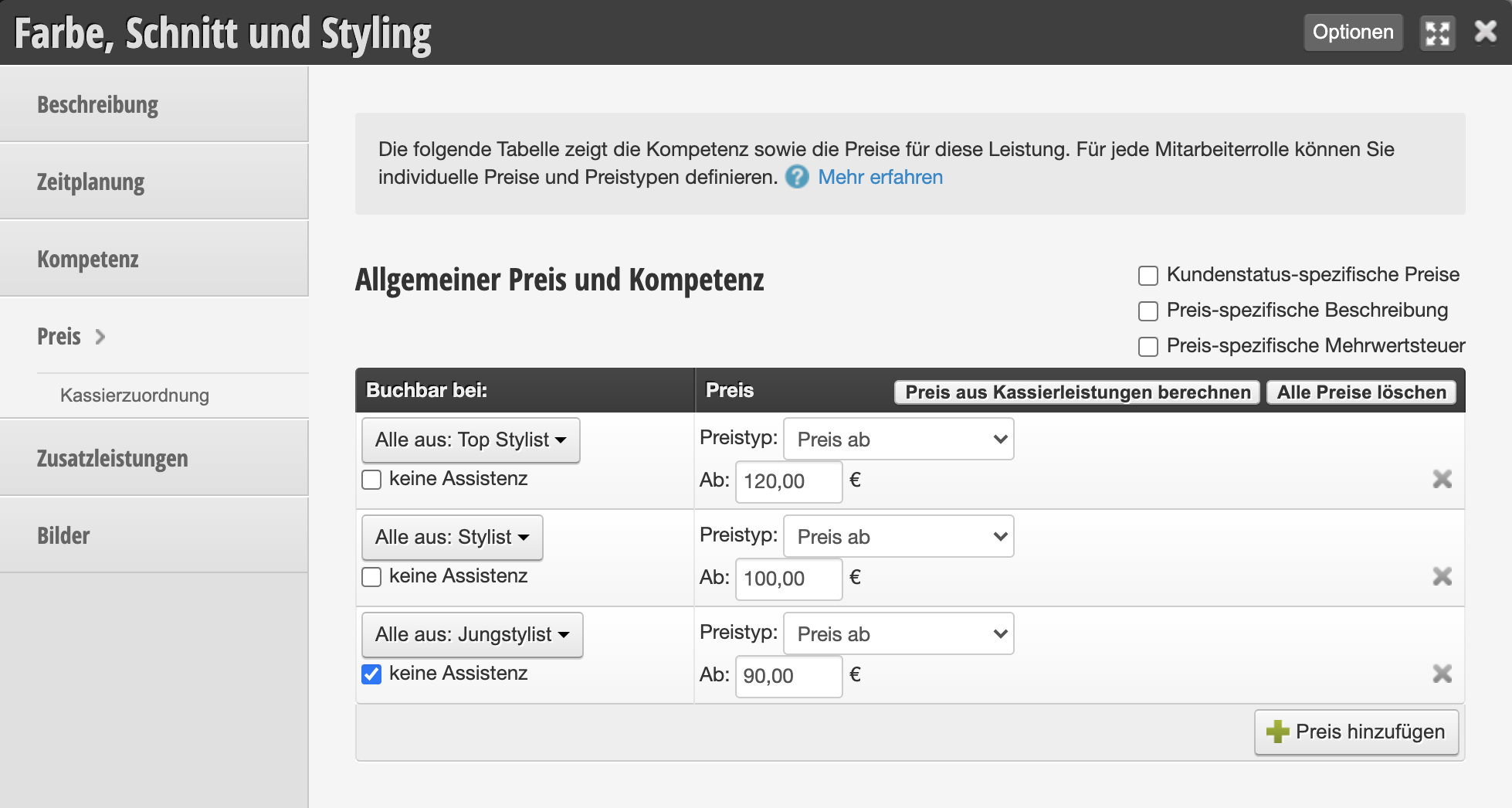
In the example configured above, the assistant step is only assigned to an available apprentice if the service is booked with an employee of the "Top Stylist" or "Stylist" role. Employees with the "Junior Stylist" role perform this step themselves.
Example in the calendar
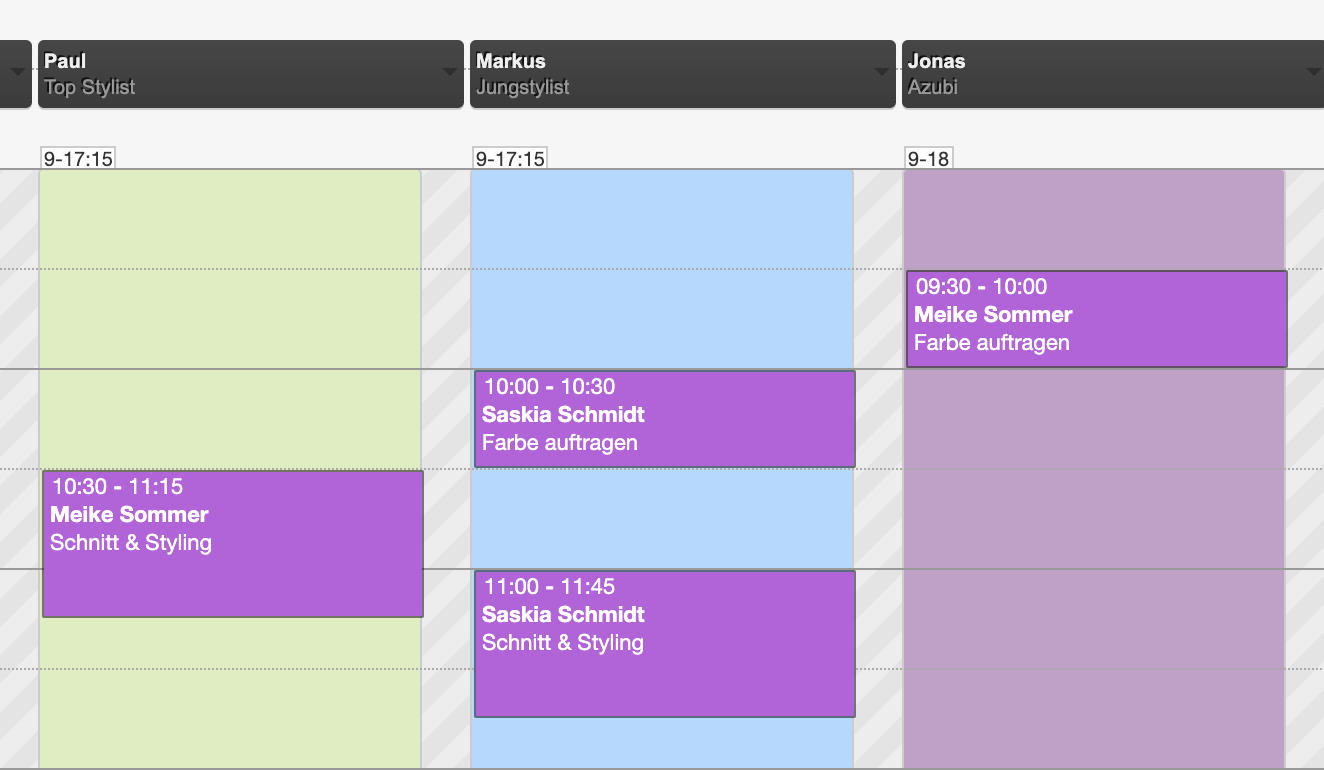
Ms. Sommer's appointment was entered with an employee of the "Top Stylist" role. The step marked as an assistant step was automatically assigned to the apprentice. Ms. Schmidt's appointment was entered with an employee of the "Junior Stylist" role. The step marked as an assistant step is not assigned to the apprentice.