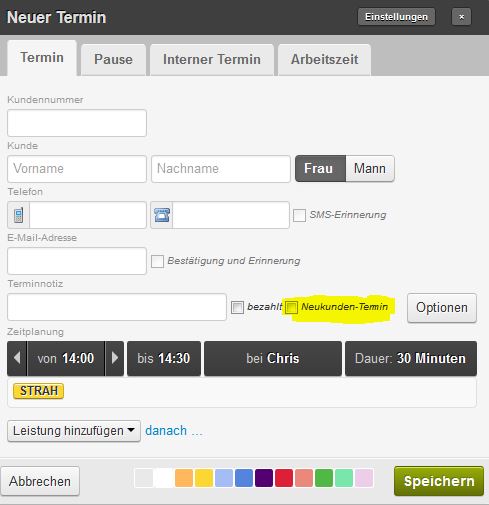
To save that this is a new customer, simply click the New Customer Appointment field during the appointment entry. A small "New" indicator will then appear above the name in the calendar, and you'll know at the first appointment that you might want to introduce yourself a bit more thoroughly.