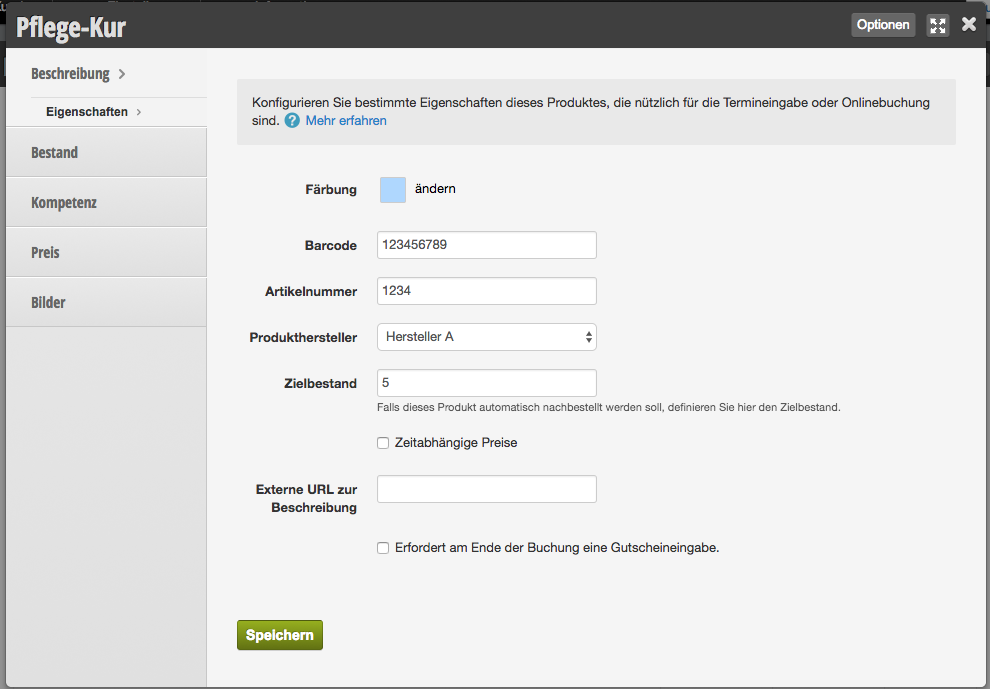
In the product properties, you can make detailed specifications for the product.
Color
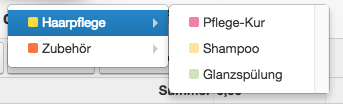
You can assign a custom color to the product to identify it more quickly.
Example of differently colored products in the checkout process:
Barcode
With the help of a barcode, you can scan products and save valuable time during the checkout process. Most product manufacturers offer data sets in which the product barcodes are already listed.
You can also add it manually by either clicking on the barcode field and scanning the product, or you can enter the numeric code below the barcode into the field.
For more information about the barcode scanner we recommend, visit https://belbo.com/zubehoer/.
Article Number
If you want to enter the article number of the product, enter it in the Article Number field of the product properties.
Product Manufacturer
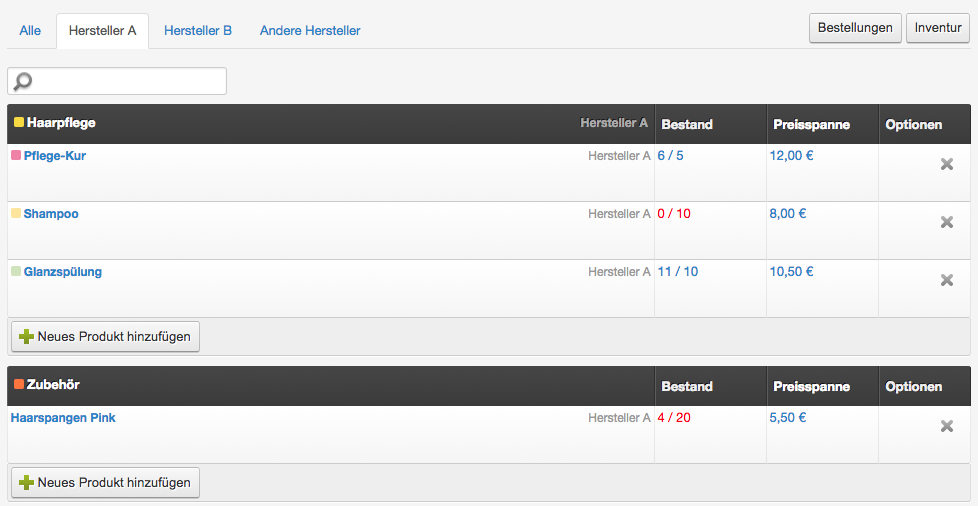
If you assign a manufacturer to each product, you can sort your products in the overview by manufacturer.
Target Stock
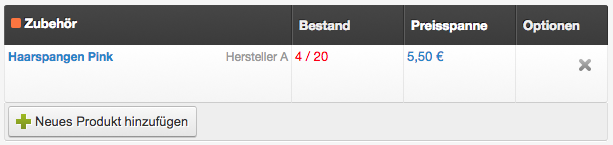
If you set a target stock level, you can see in the product overview whether it has fallen below this level and the product should be reordered.
Example of a product with insufficient target stock:
External URL for Description
You can specify the address of a website where more detailed information about the product is available.
Requires a voucher entry at the end of the booking.
If you want the product to only be saleable in conjunction with a voucher, activate this function.